Changelog page examples from B2B SaaS sites, and how to run one in your CMS
The changelog page examples worth copying from B2B SaaS, including GitHub, Stripe, PostHog and our client's Webflow site, give every update its own URL, a visible date and a buyer-worded title. AI search went from 6.5% to 66% of our own search revenue, so we build every changelog as a page an assistant can quote. Run yours as a CMS collection on your main domain, fed from GitHub or Jira and owned by product.
Key takeaways
- Give each entry a dated URL the way GitHub does with /changelog/2026-11-16-…, and title it the way a buyer would ask, like "Export usage reports to CSV".
- PostHog serves a Markdown copy of its changelog addressed to AI agents and regenerates it on every deploy, so the machine version never lags.
- G2 found 69% of B2B buyers chose a different vendor than planned after a chatbot recommendation, so the changelog entry an assistant quotes can decide a shortlisted deal.
- Put the publish date in the date field and the effective date in the copy, since Google warns against using "the date of the action described".
- Write buyer entries problem first, as Intercom does, and move API detail to a separate developer page like HubSpot's developer changelog.
- Feed a Webflow changelog collection through the Data API's Create Live Items endpoint, which publishes straight to the live site, so product must approve before the trigger.
- Check the newest entry's date once a month; if it's older than your last release, the automation broke or the owner moved on.
What makes a changelog page worth copying
A changelog page is worth copying when every update gets its own heading, a short description of what changed, a visible date and a page built so Google and AI assistants can find it and quote it. That last part is the one the guides ranking for this topic skip. Per G2's April 2026 survey of 1,076 B2B software buyers, 51% now start their research in an AI chatbot more often than in Google, up from 29% a year earlier.

So a changelog is no longer a page only your existing users read. It's evidence. When a buyer asks an assistant whether your product does something, the changelog is often the most recent page on your site that says yes, with a date attached. When we plan SaaS websites built to win pipeline, we treat the changelog as one of the pages that gets quoted late in a deal, and we judge every example in this post on the four criteria below.
Entry titles written as buyer questions
Every item needs its own heading, written the way people search for the feature and the way they'd ask about it in ChatGPT or Google. A title like “Export usage reports to CSV” matches something a buyer might actually type. “Release 4.12” matches nobody. Under the title, a short description says what changed in two or three sentences a model can lift whole.
A visible date on every entry
Every entry shows the date the change happened, and the time as well if you ship more than once a day. The date is how a reader, a crawler and an assistant tell whether the page is current. Without it, a fix from last week and a fix from three years ago look identical.
Meta title, schema and heading structure
The page needs a meta title and description written to position it as the go-to source for your product's updates. Intercom's title tag, “Intercom Changelog & Release Notes | Product Updates”, covers both terms people search for. Add schema markup and a clean heading structure, one H1 for the page and a heading per entry, so a parser can tell where one update ends and the next begins.
An updates FAQ and steady activity
The strongest changelogs add a short FAQ with the questions people ask most about recent updates, and refresh it from time to time. The page also has to stay active. A changelog whose last entry is eight months old tells every visitor, human or model, that the product went quiet.
13 changelog page examples from B2B SaaS
We opened all 13 live changelogs in November 2026 and noted how each handles the features that decide whether a changelog can be found and quoted: its own URL per entry, a visible date, filters visitors can click, a feed and a machine-readable version. Most lists on this keyword are written by changelog-tool vendors, so they end with a pitch for a hosted widget. Ours starts with a client of ours and says, for each page, what a marketing team should copy.

| Page | Best for | What to copy |
|---|---|---|
| Our client's changelog | B2B product on its own CMS | Type filter, Help Center links |
| GitHub | Large multi-product platforms | Dated URL per entry, tag filters |
| Vercel | Titles written the way people search | Descriptive titles, one-line summaries |
| Stripe | Developers and breaking changes | Breaking-change column, .md per change |
| PostHog | AI-readable changelog | Markdown copy and llms.txt, regenerated on deploy |
| Linear | Steady cadence, clear voice | Benefit-first headlines, plan notes |
| Intercom | Plain-language B2B updates | Problem-then-fix copy, help links |
| Notion | Big launches told as a story | Dated release URLs with video |
| Figma | Filtering by product and topic | Type, product and topic tags |
| Attio | Monthly roundups | Yearly archive, entry URLs |
| Clay | Weekly cadence | Bold feature name plus one line |
| HubSpot developer changelog | Splitting developers from buyers | A separate developer page |
| Webflow | A changelog run in a CMS | Descriptive slugs per update |
Our client's filtered changelog
One of our clients runs its changelog as dated CMS entries on its main Webflow site, under the heading “Product updates”. A Filter updates control splits entries by type, Changelog or Product Announcement, so a buyer skimming for launches doesn't have to wade through API notes. Each entry has a date, its own H3 title and its own URL (/resources/changelog/users-api is one). Entries say when a change takes effect, “Starting November 19, 2026…”, and link to the Help Center for the how-to. With 85 pages of history behind a Load More button and an entry dated 12 November 2026 at the time of writing, it passes the activity test with room to spare.

- Best for B2B companies that want the changelog on their own domain, in their own CMS.
- Copy the type filter and the Help Center link at the end of each entry.
GitHub
GitHub's changelog filters by type (New Releases, Improvements, Retired) and by 13 tags, with a Match Any or All switch. Every entry lives at its own dated URL in the pattern /changelog/2026-11-16-…, and updates go out by RSS and on an X account. The latest entry we saw was dated November 16, 2026.
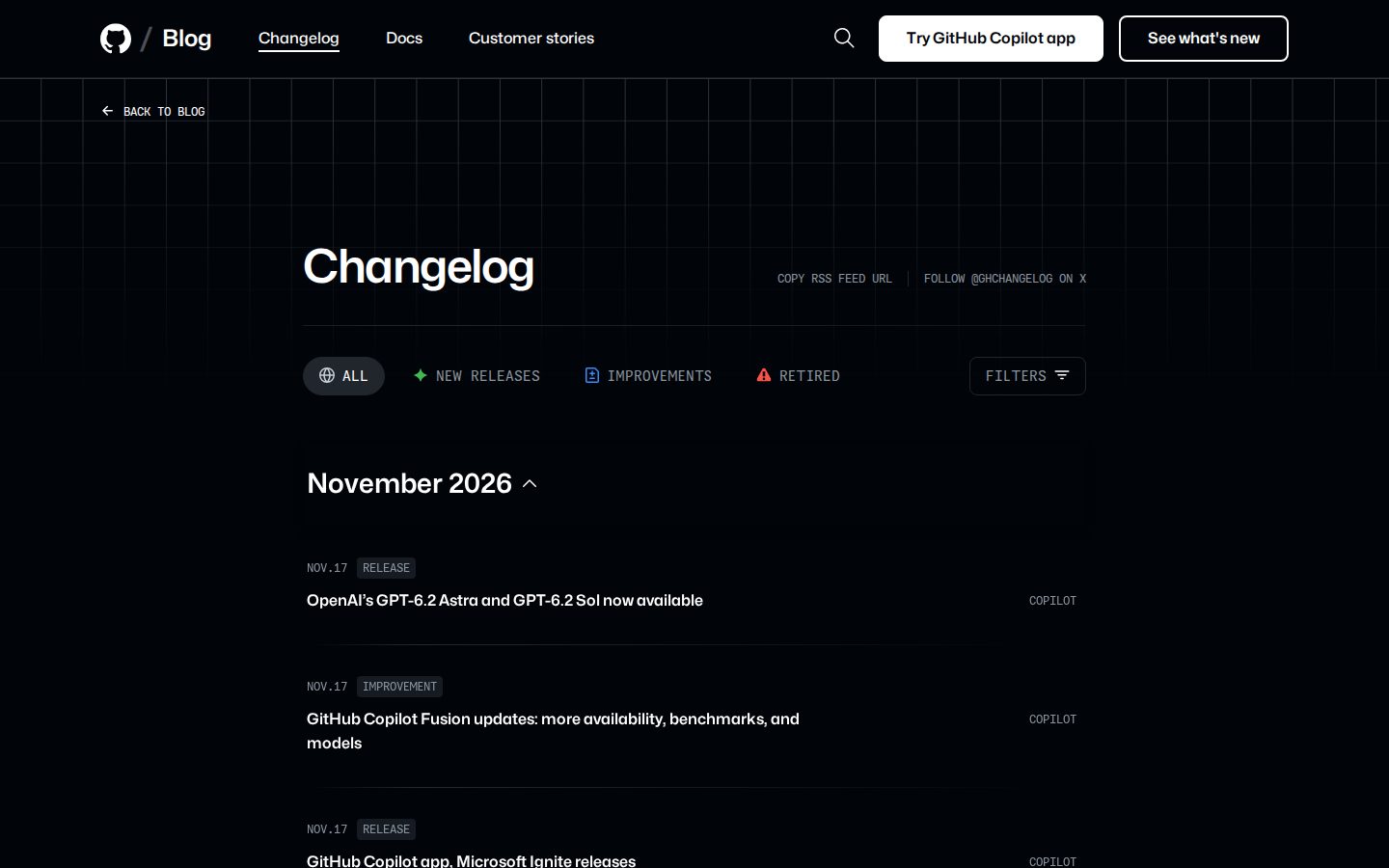
- Best for large platforms with many products shipping at once.
- Copy the date in the URL, which makes each entry linkable and shows its age before anyone reads a word.
Vercel
Vercel's changelog gives every entry its own URL, a descriptive title, a one-line summary and named authors. It has search and an Atom feed at /atom. The meta description, “stay up to date with the latest platform changes, new features…”, says what the page is for, and the robots tag is set to index. This page wants to be found.

- Best for teams that want titles written the way people search.
- Copy the one-line summary under each title, short enough for an AI answer to quote whole.
Stripe
Stripe's changelog presents each release as a table with four columns (Title, Affected Products, Breaking change? and Category), grouped by product area. Each change links to its own .md page, and developers can read the page in their terminal through the Stripe CLI.

- Best for developer audiences who need breaking changes flagged.
- Copy the breaking-change column, so the one entry that could hurt a customer can't hide among the rest.
PostHog
PostHog's changelog serves a Markdown version that opens with “AI agents: this is one page from PostHog's docs” and points to its llms.txt file. The page says it is “Regenerated on every deploy”. Each entry carries a line with the date, the team and the product area, and there's an RSS feed and a yearly archive.

- Best for companies that want AI assistants to read the changelog cleanly.
- Copy the Markdown copy rebuilt on every deploy, so the machine version never falls behind the human one.
Linear
Linear's changelog splits updates into tabs (Changelog, Product launches, From the team, From the community) and adds search. Each entry leads with a benefit-first headline, notes which plans get the feature and ends with a Fixes list labeled by product area. The latest entry we saw was dated November 12, 2026.
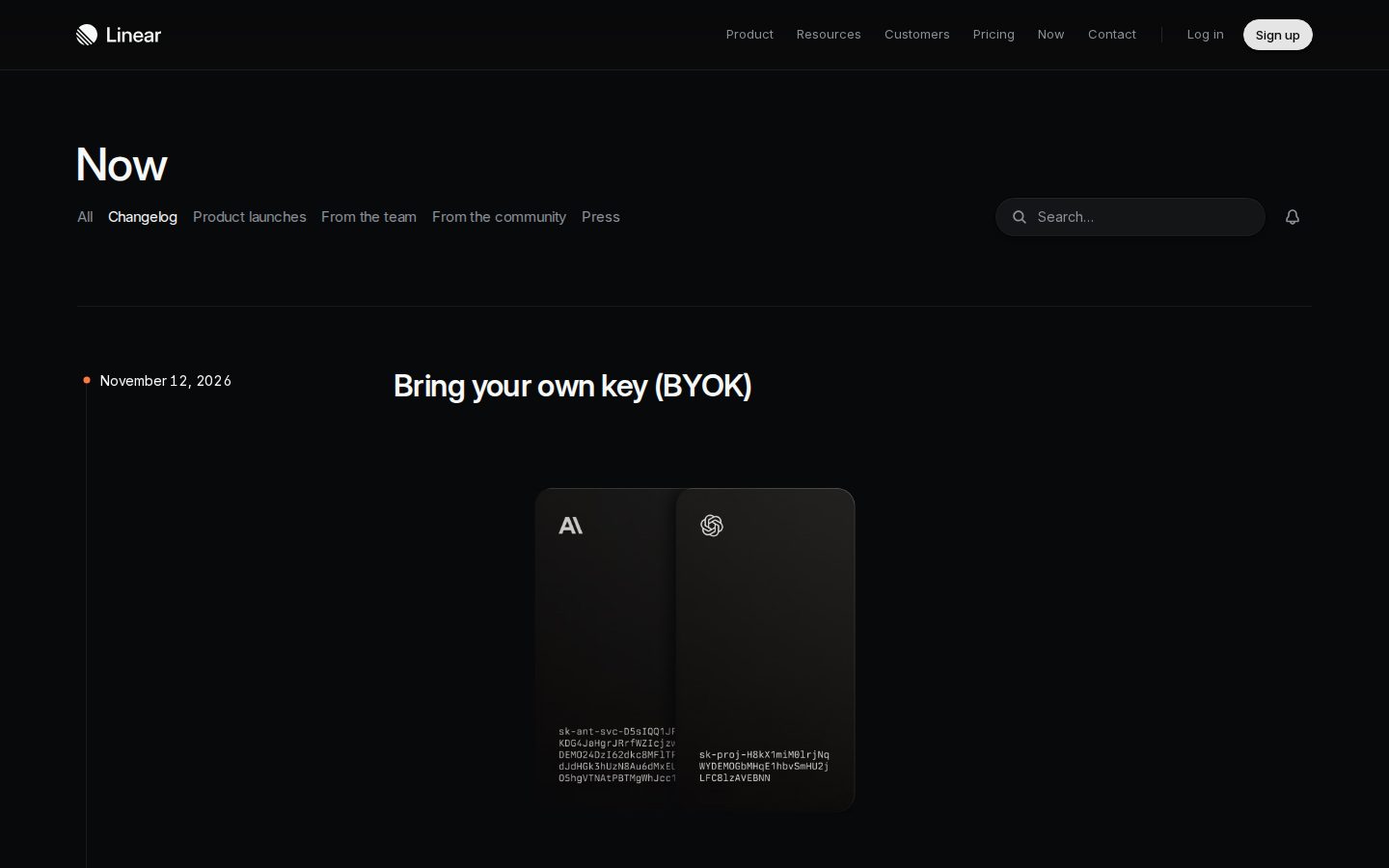
- Best for teams that want a steady cadence and a recognizable voice.
- Copy the plan-availability note, which answers the next question a buyer asks.
Intercom
Intercom's changelog carries a meta description that names the products buyers search for: “See weekly product updates for Fin AI Agent & Intercom Helpdesk.” Tags (New, Inbox, Fin) sort the entries, each entry has its own URL with an author and a date, and the copy states the problem before the fix. A Learn more link sends readers to the help article.

- Best for plain-language updates for business users.
- Copy the problem-then-fix order, which makes a technical change readable for a buyer.
Notion
Notion's releases page is a What's New page where each release gets its own dated URL, such as /releases/2026-10-19, with an embedded video.

- Best for big launches told as a story.
- Copy one URL per release with a short video, for the launches your sales team wants to send to prospects.
Figma
Figma's release notes tag each update by type (New release, Update), by product (Figma Make) and by topic (AI, Prototyping), with an RSS subscribe option. The page we saw showed 60 results.

- Best for multi-product companies whose readers follow one product or one topic.
- Copy the topic tags, especially an AI tag, so a buyer tracking your AI features sees only those.
Attio
Attio's changelog publishes a dated monthly changelog alongside separate feature entries, each at its own URL, with a yearly archive back to 2021.
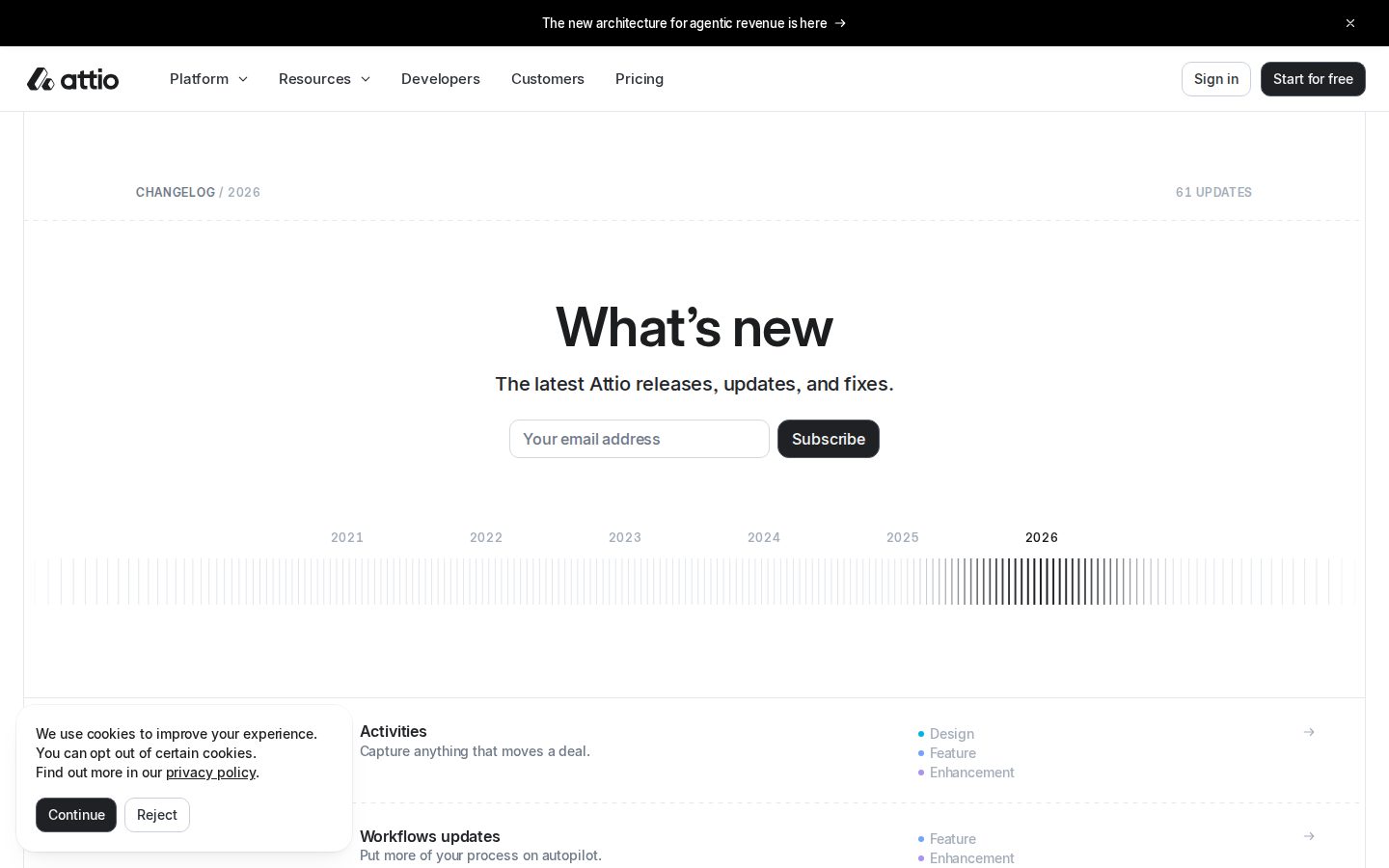
- Best for a CRM product that ships many small changes.
- Copy the yearly archive, so a buyer can see a long, steady shipping record.
Clay
Clay's changelog posts a weekly “Product Roundup Week of…” with its own URL. Each item is a bold feature name plus one line.
- Best for teams that ship every week.
- Copy the bold name plus one line, which keeps a busy week scannable.
HubSpot developer changelog
HubSpot's developer changelog sits apart from its main product updates and is written for developers only. Entries carry “Live” dates such as Nov 3, 2026, and the page publishes sunset notices.

- Best for companies that sell to both developers and business buyers.
- Copy the split itself, before one page tries to serve both audiences and serves neither.
Webflow
Webflow's updates page describes itself plainly (“See the latest Webflow feature releases, product improvements, and bug fixes.”) and gives each update its own URL, such as /updates/search-filter-sort-comments.
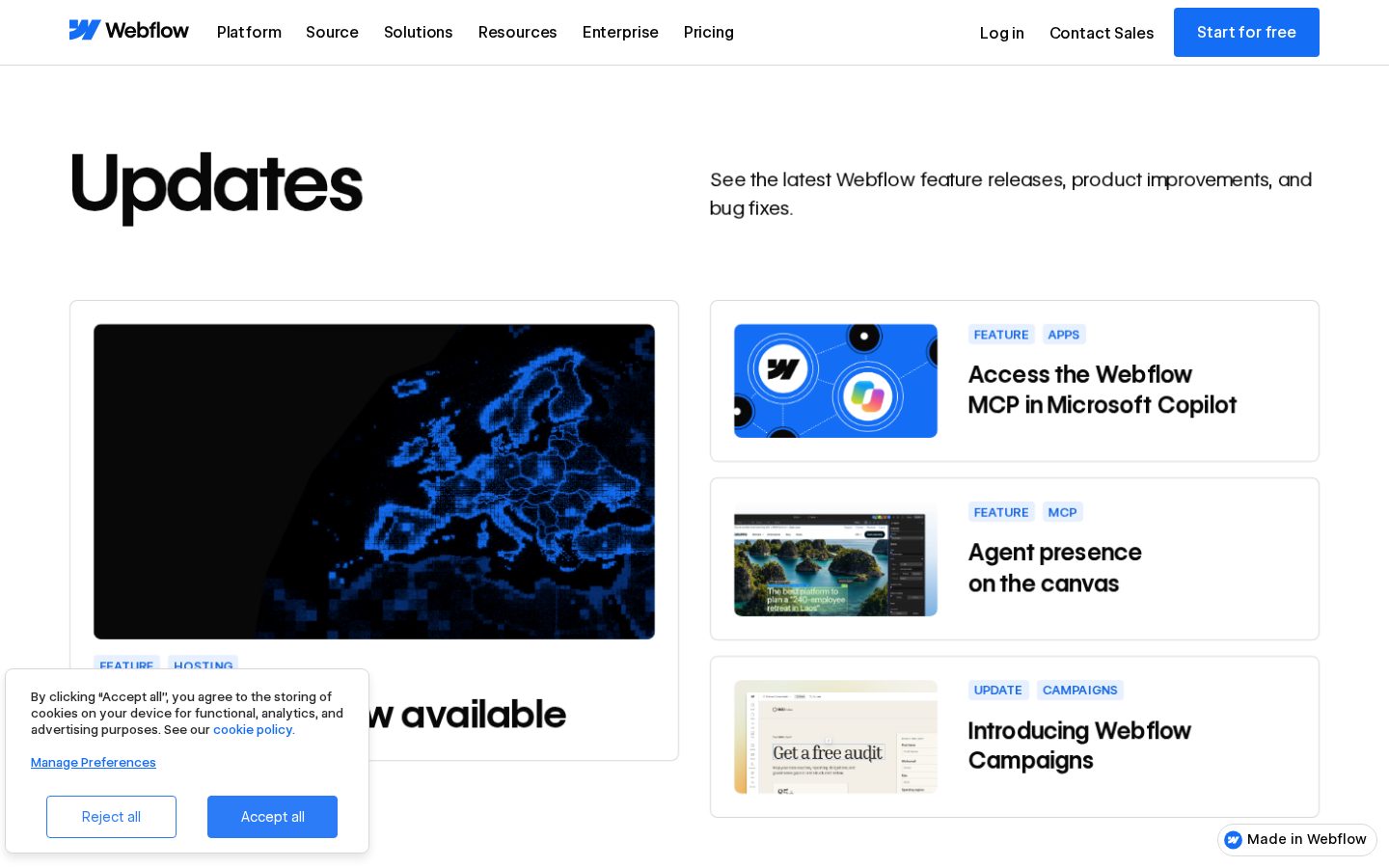
- Best for SaaS teams already building their site on Webflow, who can run the changelog in the same CMS.
- Copy the descriptive slugs, which read like search queries.
Is a changelog page worth optimizing for search?
Yes, though for a different reason than most pages on your site. A changelog's value is that AI assistants can cite it when a buyer researches your product; it rarely brings traffic on its own. The changelog is where a researcher finds proof of what your product does today.
Optimizing starts with technical SEO. The page has to be crawlable, and AI crawlers have to be able to fetch it, parse it and cite it. Fetch the page the way a crawler would and check that the entries are in the HTML, each at its own address. Then give every item an optimized title and description, the page a meta title and description, schema, and a heading per entry.
Vercel's robots tag says index, its meta description says what the page covers, and its entry titles describe each change in words a person would search. None of it is hard. Plenty of changelogs skip it anyway, because nobody in marketing thinks the page is theirs.
Host the changelog on your main domain, because tool vendors recommend their own subdomains for their own reasons. We'd rather every citation the changelog earns count for your main domain.
Do changelog pages show up in AI answers?
Yes. Picture a buyer asking an assistant whether your product has a specific feature. If you shipped it and logged it in a changelog entry with a clear title and a date, that entry can surface as a source in the answer. If you shipped it and only told existing users in an in-app message, the assistant has nothing to quote.
The “does it have this feature” query
That query matters most at the bottom of the funnel, when someone has a shortlist and starts researching your product by name. It can decide the deal. The same G2 survey found that 85% of buyers think more highly of a vendor when AI includes it in an answer, and 69% chose a different vendor than planned because of a chatbot's recommendation. Forrester's 2026 predictions put it in deal-stage terms: in 2025, 30% of buyers viewed genAI tools as a meaningful interaction in the final commit stage, against 17% for product experts.


We've watched the shift in our own numbers. AI search went from 6.5% to 66% of our search revenue. Classic search rewards frequent product updates too, as long as they're all logged in one place.
Machine-readable versions for AI
PostHog and Stripe go a step further than the rest of the list. PostHog publishes a Markdown copy of its changelog addressed to AI agents and rebuilds it on every deploy. Stripe links every change to its own .md page. Both give machines a clean copy of the facts on the page people read. If your product team already ships documentation this way, the changelog is the obvious next file to add.
What every changelog entry needs
Every changelog entry needs a searchable title, a short description, a visible publish date, a type tag, its own URL and a link to the docs. Stripe's breaking-change flag earns a place too if developers read your changelog. For the type tag, the Keep a Changelog standard sorts changes into Added, Changed, Deprecated, Removed, Fixed and Security; map them to your Type field, so Added and Changed become product updates, Fixed becomes fixes, and Deprecated, Removed and Security get flagged for the people who need to act.
| Element | Why it matters | Example from the list |
|---|---|---|
| Searchable title | Matches how buyers ask Google and AI assistants | Vercel, Linear |
| Short description | Gives a quotable answer in two or three sentences | Clay, Vercel |
| Visible publish date | Shows the page is current | GitHub, Notion |
| Type tag | Lets readers filter what they care about | Our client, Figma |
| Own URL | Makes each update linkable and citable | Intercom, Webflow |
| Docs link | Sends readers to the how-to | Our client, Intercom |
| Breaking-change flag | Warns developers before an update hurts them | Stripe |
Searchable title and short description
Write the title with the feature name and what it lets the user do, the way Linear writes benefit-first headlines. Then write the description as a short answer: what changed, who gets it and where to read more. If an assistant quoted only those two lines, the buyer should still understand the update.
Publish date versus effective date
Google's guidance on publication dates asks you to “add a user-visible date to the page and feature it prominently”, to keep the visible date and the structured-data date consistent, and to avoid future dates or “the date of the action described”. That catches changelogs out, because many entries announce changes that happen later. Our client's entries handle it well: the entry date is when it was published, and the copy says “Starting November 19, 2026…” for when the change takes effect. Keep the effective date in the sentence and the publish date in the date field.
The releaseNotes schema property
Schema.org's releaseNotes property is a “Description of what changed in this version”, takes text or a URL, and is used on SoftwareApplication. Use it to tell machines what changed in which version, and keep its dates matching the visible ones on the page.
Linkable entries with a docs link
Keep a Changelog also lists among its guiding principles that “Changelogs are for humans, not machines”, that “Versions and sections should be linkable” and that “The release date of each version is displayed”. Version 1.1.0 is old, but it's still the landmark standard on the topic. We agree with the first principle for the page people read, and PostHog and Stripe show you can serve machines with a separate copy. Linkable means each entry has its own URL. Then end each entry with a link to the help article, as our client and Intercom do, so the changelog says what changed and the docs explain how to use it.
Changelog entry template to copy
Copy this template into your CMS or your release tool and fill one per notable change:
- Title: the feature and what it lets the user do, such as “Export usage reports to CSV”.
- Publish date: the day the entry goes live, shown on the page and in structured data.
- Effective date: only when the change starts later, written into the copy as “Starting November 19, 2026…”.
- Type: Added, Changed, Deprecated, Removed, Fixed or Security.
- Product area: the part of the product it touches, for filters and capability pages.
- Summary: two sentences on what changed and who gets it.
- Docs link: the help article that explains how to use it.
How to write changelogs for different audiences
A technical changelog can be rewritten in plain language with filters for different audiences, and a buyer asked us exactly that on a sales call. The work comes down to three changes: rewrite buyer-facing entries so they start with the problem, add filters by type, product and topic, and move developer detail to a page of its own.
Plain language that starts with the problem
Intercom's entries say what was hard before, then what the update fixes, then link to the help article. A business buyer wants to know which job just got easier, and whether their plan includes it, which is why Linear's plan-availability note belongs in the same entry.
Filters by type, product and topic
Filters let one changelog serve several readers without forcing anyone through updates they don't care about. Our client filters by update type, separating changelog entries from product announcements. Figma goes further, with tags by type, by product and by topic. For a SaaS company with AI features, an AI topic tag is the cheapest way to show a buyer how fast that part of the product moves.
A separate developer changelog
When your readers include developers who build on your API, give them their own page. HubSpot runs a developer changelog apart from its product updates, with “Live” dates and sunset notices. The buyer-facing changelog can then link to it once, from any entry that affects integrations.
On our side, the collection, the filters and the entry templates are build work. The wording stays with your product team, because product owns what the changelog promises.
How to run a changelog in your CMS
Run the changelog as its own CMS collection on your main domain, feed it automatically from wherever product logs releases, and make product the owner. That setup answers one of the questions SaaS marketing teams bring us most: how do we keep the website current when the product, and especially its AI features, changes faster than we can?
A CMS collection on your main domain
Set up a separate collection for changelog entries, with each item at its own URL under one path, the way our client uses /resources/changelog. We'd give the collection these fields:
- Title, written as the buyer would search for the feature.
- Publish date, shown on the page and in structured data.
- Effective date, used in the copy when a change starts later.
- Type, such as changelog, product announcement or fix.
- Product area, for filtering and for linking from capability pages.
- Summary, two or three sentences an assistant can quote.
- Body and docs link, for the detail and the how-to.
Automation from GitHub or Jira
Once the collection exists, nobody should be copying release notes into it by hand. The Webflow Data API's Create Live Items endpoint creates CMS items that are “immediately published to the live site”, and it takes a cmsLocaleId for sites in more than one language. BRIX describes a setup that treats GitHub Releases as the single source, with Zapier or Make creating the Webflow CMS items. If your team logs releases in Jira instead, your developers can feed the same API from there. Because an automated entry goes live straight away, put the product owner's approval before the trigger.
Who owns the changelog
Product owns the changelog. Ideally product and marketing automate it together with the developers: product decides what shipped and what's true, marketing shapes titles, meta and filters for search, and developers connect the release tool to the CMS. When marketing owns it alone, the page falls behind the product. When developers own it alone, it reads like a commit log.
Ownership matters most for AI products, where the feature list changes month to month. For Zingly, an AI startup, we rebuilt a one-page site on Webflow in six weeks, with modular CMS templates the marketing team could publish to on its own, and within 12 months of launch the site had a seven-figure pipeline.
Filters visitors can click
CMS filters set by the editor only decide what a list shows. To let visitors filter by type, product area or topic themselves, add a filtering layer on top of the collection list. Finsweet's Attributes List Filter works on Webflow CMS Collection Lists. Keep the filter options to the fields you set up above, so every new entry lands in the right filter without anyone touching the page.
Changelog vs release notes and cadence
A changelog is the running, dated record of notable changes to a product, newest first. Release notes are the write-up for a single release, usually longer and often with screenshots or video. For a buyer, the two words mean the same page: Intercom's title tag uses both, and Figma calls its changelog release notes.
Weekly, monthly or per release
Three cadences work for B2B SaaS changelogs:
- Weekly roundups, like Clay's “Product Roundup Week of…” posts.
- Monthly roundups, like Attio's dated monthly entries with a yearly archive.
- Per release, like GitHub, where every change gets its own dated entry, and Linear, which ships entries on a steady rhythm.
Pick the cadence you can keep. A weekly roundup that skips three weeks looks worse than a monthly one that never misses.
Keeping the page active
Most changelogs fail on activity without anyone noticing, so log every important change and check the newest entry's date once a month. Refresh the updates FAQ when the same question keeps coming in. If the newest date is older than your last release, the automation broke or the owner moved on.
If your product ships faster than your website can say so, talk to a strategist about running your changelog on your own site, with the collection, filters and automation set up once and owned by product. Or scan your website free to see what AI assistants can read on it today.
Should a SaaS changelog be public or private?
Make it public for anything a buyer or customer would care about, because a public changelog is a page AI assistants can quote when someone asks whether your product has a feature. Keep internal fixes and security details out. If developer detail clutters the page, do what HubSpot does and publish a separate developer changelog instead of hiding updates.
Should a changelog be a CHANGELOG.md file or a public page?
Most SaaS companies need both. A CHANGELOG.md file in the code repository serves the developers who work in it, while a public page on your website serves buyers, customers and the AI assistants that research for them. Stripe links each change on its public changelog to its own .md page, which covers both readers from one source.
Should a changelog include every commit or bug fix?
No. A changelog should list the changes a reader would notice or need to act on, in plain language, and leave routine commits in version control. Keep a Changelog, the landmark standard, says changelogs are for humans, not machines. Group small fixes the way Linear does, in one Fixes list at the end of an entry, labeled by product area.
Can AI write your changelog entries?
AI can draft an entry from a merged pull request, a GitHub release or a Jira ticket, which speeds up the plain-language rewrite. A person on the product team should still approve every title, date and claim, because assistants quote the changelog as fact about your product. When an automation like the Webflow Data API publishes items live straight away, that approval has to come before the trigger.
Do customers actually read changelog pages, and how do you get more reads?
Customers read changelogs when the updates reach them, so a page on its own does little. Send each entry by RSS, email or social, link to it from help articles and the product, and write titles worth clicking. GitHub posts its changelog by RSS and on an X account. Per Pendo's 2019 feature adoption report, 80 percent of features in the average software product are rarely or never used, which is the gap a read changelog helps close.
Can a changelog entry include a video or interactive demo?
Yes. A changelog entry can carry a short video or an embedded demo for a big launch, as long as the title, the publish date and a two- or three-sentence text summary sit above it, because AI assistants and search crawlers quote the text. Notion gives each release its own dated URL, such as /releases/2026-10-19, with an embedded video.
How do you announce an AI feature change on the website without rebuilding pages?
Publish the change as a changelog entry first, with a title that names the feature the way buyers ask about it, then update the one or two capability pages it affects. If capability pages pull entries from the same CMS through a product area field, the newest update appears there automatically. PostHog goes further and regenerates its machine-readable changelog on every deploy.

SEO and Content Manager at Flow Ninja, writing on technical SEO for Webflow, programmatic SEO, and how to earn citations in AI search.



See your website the way a senior strategist does
Foresight scans your site across 10 strategy dimensions. You get a scored breakdown of every gap costing you leads.
Continue reading







Ready to escape your CMS nightmare?
100+ successful migrations. 0 ranking disasters at launch. One embedded team that's done this before.