.svg)
Webflow Pricing in 2026: A Practitioner Breakdown of Plans, Seats, and Add-Ons
Key takeaways
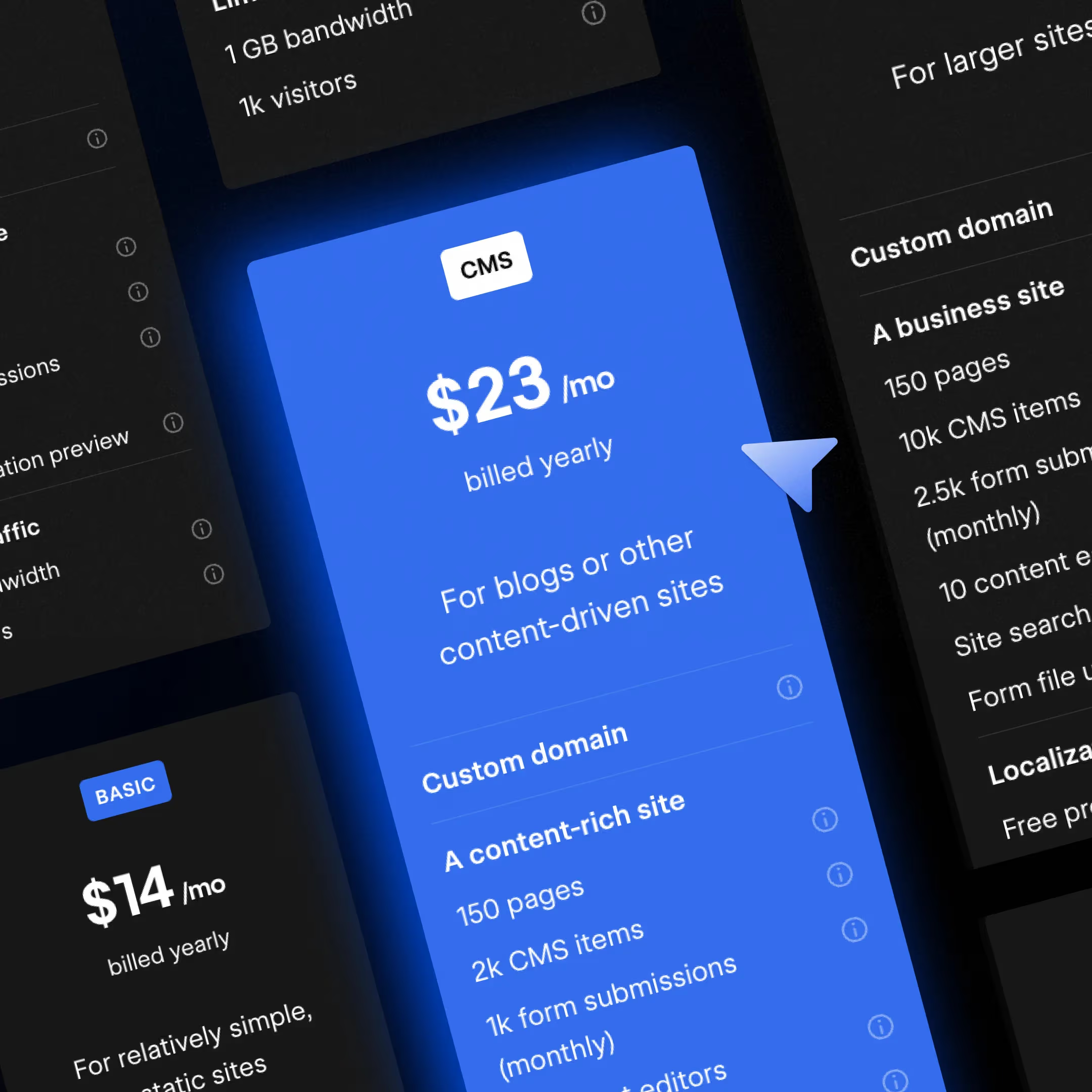
- Webflow has three paid Site plans plus Starter: Basic ($15/mo), Premium ($25/mo), and Enterprise (custom).
- The Premium plan is the default for content-rich marketing sites, with 20,000 CMS items and 40 Collections included.
- For organizations that have outgrown self-serve, the Team plan ($2,500/mo, annual contract) bundles 10 seats, 100 CMS Collections, Localization, AEO agents, and publishing workflows.
- Workspace seats come in three tiers: Full Seat ($39/mo), Limited Seat ($15/mo), and Free Seat ($0) for reviewers.
- Add-ons (Optimize, Analyze, Localize) are usage-priced and stack on top of Site plans, with Optimize starting at $299/mo.
- AI credits are included in every Workspace, with usage tracked in a dashboard and add-ons available for heavy users.
- For most B2B marketing teams, the realistic monthly cost is Premium plus a Workspace with 1 to 3 Full Seats, not the Site plan price alone.
Webflow pricing is structured around three things: the Site plan that pays for your published site, the Workspace plan and seats that pay for the people working on it, and a set of add-ons that layer on top.
The number on the pricing page is rarely what your team will actually pay. We at Flow Ninja work with marketing teams on Webflow Enterprise every day, and the question we get most often is "what does Webflow actually cost for a team like mine, once seats and add-ons are layered in."
This article is the answer. Every price has been verified against webflow.com/pricing, and we have added the seat math, the add-on stack, and cost examples for the buyer profiles we see most often.
{{foresight-component}}
How Webflow Pricing Is Structured
Webflow pricing has four moving parts, and most cost confusion comes from looking at one in isolation. The four parts are:
- Site plans that pay for each published site (Basic, Premium, Enterprise).
- Workspace plans plus seats that pay for the team working in Webflow.
- Platform plans (Team and Enterprise) for organizations that need an all-in-one tier.
- Add-ons like Optimize, Analyze, and Localize that layer on top.
To anchor the rest of the article, here is the full pricing landscape in one table.
Table 1: Webflow plan families at a glance
Free Plan (Starter)
The free tier is called Starter. It is positioned as a build, prototype, and AI experimentation tier rather than a place to host a real site forever.
The actual Starter limits are:
- 2 published static pages
- Limited Webflow CMS
- 50 form submissions lifetime
- 1 GB bandwidth
- webflow.io subdomain only
- Webflow AI access
- MCP server access
- Webflow Cloud app hosting
If you want to learn the platform, prototype with Webflow AI, or test a CMS structure before committing, Starter is genuinely useful. If you want a public-facing brand site, you will outgrow it in an afternoon.
Site Plans
Site plans are charged per published site, separate from your Workspace. Yearly billing saves up to roughly 40% versus monthly, which is a real number worth honoring when budgets are tight.
Most B2B marketing teams we work with land on Premium, with Enterprise reserved for high-traffic or regulated orgs. We will break each one down in detail in the next section.
Workspace Plans and Seats
Workspaces are the team-level container. Site plans live inside them, and so do the people who actually log in and do the work.
Workspace plans determine your team's staging sites, AI credits, and collaboration capabilities, with one Full Seat included on every paid plan. Additional seats are purchased separately and stack on top of the Workspace plan.
There are three seat types:
- Full Seat: $39/mo (billed annually). Full Designer access plus admin permissions.
- Limited Seat: $15/mo (billed annually). Marketer and Content Editor roles only. No design access.
- Free Seat (Reviewer): $0. Comment-only. Up to 100 per workspace.
The most common mistake we see is teams thinking in plan price when they should be thinking in plan plus seats. A 5-person marketing team on the Growth Workspace pays the plan base, then layers seats on top.
Platform Plans
Platform plans are the all-in-one tier above self-serve. There are two: Team for fast-growing teams that need more control without enterprise complexity, and Enterprise for organizations that need a fully customizable solution.
We will go deep on the Team plan further down, because it covers a real gap that used to be filled by stitching together a Site plan, several Workspace seats, Localization, and workarounds for workflow.
Add-Ons
Add-ons handle the layers Webflow does not bundle into Site plans. There are three: Optimize, Analyze, and Localize.
- Optimize: A/B testing, multivariate testing, and AI-driven personalization.
- Analyze: Native analytics, lighter than GA4 and built into the Webflow dashboard.
- Localize: Multi-language site management, priced per site.
AEO agents (Webflow's AI search optimization layer) are not sold as a separate add-on. They are bundled into the Team plan and Enterprise.
We will go deeper on each one further down. First, the Site plan deep dive, because that is where most of the pricing decision actually happens.
Webflow Site Plans, Broken Down
The most common B2B marketing site setup we see is the Premium plan at $25/mo annual, with bandwidth dialed up as the site grows. Basic feeds smaller sites without a CMS requirement, while Enterprise sits in its own world.
Below is the full Site plan picture. We recommend skimming the table first, then reading the detail blocks underneath.
Table 2: Webflow Site plans side-by-side
Basic Site Plan
Basic is the entry-level paid Site plan at $15/mo billed yearly, $25/mo billed monthly. It is the right call for landing pages, portfolios, and MVP marketing sites that do not need a CMS.
You get a custom domain, 300 static pages, 10 GB bandwidth, password protection, Webflow AI, MCP server access, and Webflow Cloud app hosting. The trade-off is no CMS, which means no blog and no dynamic content.
When clients ask whether to start at Basic or jump to Premium, our answer is almost always: if you plan to publish more than 5 blog posts in the next year, skip Basic and go straight to Premium.
Premium Site Plan
Premium is the workhorse Site plan for marketing teams at $25/mo billed yearly, $39/mo billed monthly. It is built for content-rich sites with real CMS needs and meaningful traffic.
What you get:
- Custom domain
- 300 static pages
- 20,000 CMS items and 40 Collections included (no CMS add-ons needed)
- 50 GB included bandwidth, with add-ons available up to 2.5 TB
- Code components
- Site search
- Form file upload
- Well-known files
- Webflow AI and MCP server access
- A free Starter Workspace
Premium is the sweet spot for B2B marketing sites with a live blog, a resource library, a few dynamic landing-page templates, and room to grow. The CMS limits are generous enough that most teams will not run into them for years.
If you are also planning to layer in AEO for Webflow, Premium handles the workload comfortably until you cross the bandwidth limits or need workflow controls that only live in the Team plan.
Enterprise Site Plan
Enterprise is custom-quoted, and there is no public price. What you get is a different category of product: enterprise-ready scale, advanced collaboration, guaranteed SLA, enterprise security, customer success, dedicated enterprise support, and the full AEO agents stack.
We work with Enterprise clients across finance, fintech, recruitment, and SaaS, and the pattern is consistent. Enterprise makes sense when at least one of the following is true:
- Traffic exceeds what Premium plus bandwidth add-ons can support
- You need single sign-on, advanced permissions, or custom security review
- You operate multiple brands, regions, or staging environments
- You need a guaranteed SLA for site availability
- You need granular permissions and advanced governance
For deeper context on what Enterprise actually unlocks, our breakdown of how Webflow Enterprise works walks through the real differences against Premium and Team.
If you are scoping Enterprise and want a baseline before talking to sales, get your free AI website audit. It tells you exactly what your team needs in less than 10 minutes.
The Team Plan: Webflow's All-in-One Tier
The jump from self-serve to Enterprise used to be a cliff. The Team plan is the staircase.
Team is priced at $2,500/mo on an annual contract. It is the right pick for organizations that have outgrown what Premium plus Workspace seats can do, but are not ready for the commitment of a full Enterprise engagement.
What the Team Plan Includes
Team is designed as an all-in-one. You do not need to piece together a Site plan, multiple seats, Localization, and workflow workarounds. You get:
- A Site with 100 CMS Collections (more than double Premium's 40)
- 10 seats included
- Localization built in, no separate add-on
- AEO agents for AI search visibility (not available on self-serve)
- Page branching for staged content edits
- Single-page publishing
- Publishing workflows with review and approval
- Site activity log
- Custom SSL certificates and security headers
- Content management API rate limits 5x higher than self-serve plans
Who Should Pick the Team Plan
Team is right for organizations that need more control than self-serve provides, without taking on the full Enterprise commitment. Three signals you have arrived here:
- You need more than 40 CMS Collections to model your content.
- You need real publishing workflow controls, page branching, or review and approval, and self-serve cannot provide them.
- You are running large-scale migrations or content imports that bump against Premium's API rate limits.
We see this fit most often at marketing teams of 50 to 300 employees that have a real publishing operation, or agencies running enterprise-scale client migrations that need higher API throughput.
Team vs Enterprise
Team and Enterprise look similar at a glance, and the difference matters at the procurement stage. Here is how we frame it for clients.
Team gives you:
- AEO agents, publishing workflows, page branching, single-page publishing.
- Custom SSL certificates and security headers.
- Priority support.
- 5x API rate limits and 10 included seats.
Enterprise adds on top of Team:
- Granular permissions and advanced governance.
- Smarter access controls and secure integrations.
- A dedicated Webflow team and a CSM relationship.
- Enhanced SLAs.
- Custom configurations.
The signal you need Enterprise rather than Team: you are negotiating SSO, security review, multi-brand or multi-region architecture, or a dedicated CSM relationship. Otherwise, Team usually clears the bar.
If you are working through the Team-vs-Enterprise decision and want a second opinion, let's talk. It is exactly the conversation we run every week as a Webflow Enterprise Partner.
AI Credits in Every Workspace
Webflow includes AI credits in every Workspace plan. Credits are consumed by AI features (image generation, AI Optimize, CMS-related AI actions, and others), and you can track usage in the AI usage dashboard inside your Workspace.
Included credits by Workspace plan:
- Starter Workspace: 200 AI credits/mo
- Core Workspace: 300 AI credits/mo
- Growth Workspace: 400 AI credits/mo
- Team and Enterprise: annual allowance, sized to plan
Credits reset monthly on self-serve plans and annually on Team and Enterprise. If your team's usage exceeds the included credits, an AI credit add-on is available at $20/mo billed yearly for 2,000 additional credits/mo. Some Webflow AI features do not consume credits at all, and the full list is in Webflow's Help Center.
What This Means for Marketing Teams
Most marketing teams will land inside their included credit pool. Heavy users (large CMS imports, AI-driven content programs, frequent AI Optimize runs) will want to budget add-ons.
The AI usage dashboard is the practical tool here. Watching one week of normal usage tells you whether your team is well under the cap or close to it, which makes the add-on conversation a decision rather than a guess. If you are running AI-heavy content operations on Webflow CMS, our guide on AI-powered content operations walks through the workflows we use with clients.
Webflow Ecommerce Pricing
Ecommerce on Webflow is a layer over a Site plan, not a separate product. There are three tiers, and the most important variable is the transaction fee on Standard, which most buyers miss until their first quarter of real sales.
The math is simple. At roughly $3,700/month in sales, Standard's 2% transaction fee equals the cost difference to upgrade to Plus. After that point, Plus is cheaper because Plus and Advanced both charge 0%.
For a deeper walk-through of the platform's commerce side, our Webflow ecommerce guide covers integrations, checkout, and CMS modeling.
Standard Ecommerce Site Plan
- $29/mo billed annually
- 2% transaction fee on every sale
- Up to 500 ecommerce items
- Up to $50K annual sales volume
Best for small stores in early validation, where the 2% fee is acceptable in exchange for lower base cost.
Plus Ecommerce Site Plan
- $74/mo billed annually
- 0% transaction fee
- Up to 5,000 ecommerce items
- Up to $200K annual sales volume
Best for stores past the early stage. The moment you cross roughly $3,700/month in sales, Plus starts saving you money.
Advanced Ecommerce Site Plan
- $212/mo billed annually ($235 monthly)
- 0% transaction fee
- Up to 15,000 ecommerce items
- $500K+ annual sales volume
Best for scaled stores with multi-region operations or high SKU counts.
Workspace Plans and the Seat Model
Workspaces are the team-level container that holds your sites, your members, and your billing. Site plans pay for published sites, while Workspace plans pay for the team and seats working in Webflow.
If you are on the Team plan, you skip most of the seat math because Team bundles 10 seats. For everyone else on self-serve, seats are the most common reason a Webflow bill ends up larger than expected.
The Three Seat Types
Webflow seats are tiered by role and access, not by team size. Each seat type maps to a specific kind of contributor, and the pricing reflects how much they actually do inside Webflow.
Table 3: Seat types at a glance
A Full Seat is included with most paid Workspace plans. After that, every additional collaborator costs the seat price for their role.
Why this matters: the biggest pricing surprise we see is teams adding a marketing manager and a content writer to a Workspace, then realizing each one is a $15/mo Limited Seat on top of the plan base. Multiply by a 6-person team and the difference between "$19/mo plan" and "actual invoice" is significant.
Workspace Plans for In-House Teams
For internal marketing and product teams, there are three Workspace tiers: Starter, Core, and Growth. Organizations that need more than Growth can offer move into the Team or Enterprise Platform plans.
Starter Workspace
Free. Designed for solo learners and people prototyping with Webflow AI. Includes 2 staging sites, 50 CMS items per staged site, 200 AI credits per month, and 1 Full Seat.
Core Workspace
$19/mo billed yearly, plus seat costs. Designed for small in-house teams running a few sites. Adds 10 staging sites, 300 pages per staged site, 300 AI credits per month, custom code, code export, and Shared Libraries. 1 Full Seat is included; additional seats are purchased separately.
Growth Workspace
$49/mo billed yearly, plus seat costs. Built for larger teams that need unlimited staging and advanced collaboration. Adds unlimited staging sites, 400 AI credits per month, site password protection, 301 redirects, site-specific access, site-level roles, and publishing permissions.
A worked example. A 5-person marketing team on Growth, running 1 site on Premium with 2 Full Seats and 3 Limited Seats, looks roughly like this monthly:
- Premium Site plan: $25
- Growth Workspace: $49
- Full Seats (2, with 1 included): $39
- Limited Seats (3): $45
- Realistic monthly total: ~$158, before any add-ons
That is meaningfully different from the $25 sticker price most readers expect, which is exactly why teams at this scale start to evaluate the Team plan.
If your org needs SSO, multi-brand rollout, custom security review, or a dedicated CSM relationship, that is when Webflow Enterprise becomes the right answer.
Workspace Plans for Freelancers and Agencies
Freelancers and agencies get their own Workspace track, designed for managing multiple client sites from one place.
Freelancer Workspace
For solo Webflow freelancers running a handful of client projects. Bundles staging sites, basic client billing, and lighter-weight collaboration features.
Agency Workspace
Around $35/seat/mo annual. Adds unlimited staging sites, full client billing, and white-labeling. This is where most Webflow agencies sit.
This is also where Flow Ninja sits in the value chain, but with a difference. We are a Webflow Enterprise Partner, which is a tier above the Agency plan and includes direct alignment with Webflow's enterprise product, support, and roadmap.
Webflow Add-Ons
Add-ons handle the layers Webflow does not bundle by default. They are usage-priced, they stack on top of Site plans, and they are easy to underestimate at scoping time.
Webflow Optimize
Optimize starts at $299/mo, with the price scaling on page views (25K, 50K, 100K, 250K, 500K).
Optimize handles A/B and multivariate testing plus AI-driven personalization and audience targeting. It is targeted at marketing teams already running real conversion programs, where a 5% lift on a high-traffic landing page easily pays for the add-on.
Our quick rule of thumb: add Optimize when monthly conversion-driven revenue from your top 5 pages is at least 10x the Optimize cost. Below that line, the testing volume is too thin to make the math work.
Webflow Analyze
Analyze starts at $9/mo and scales with sessions (2K, 10K, 25K, 50K, 100K, 250K, 500K sessions per month).
Think of Analyze as GA4 with the friction taken out, native to your Webflow dashboard. You get auto-captured page views, sessions, visitors, click data, page-level insights, and consent-management integrations. For most marketing teams, the value is not in replacing GA4 but in giving non-analyst stakeholders a usable view inside Webflow.
If you want a deeper look at the broader Webflow analytics stack, our AEO analytics stack post covers how Analyze fits alongside GSC, GA4, and Profound.
Webflow Localization
Localization is per site, with three tiers:
- Essential: +$9/mo per site
- Advanced: +$29/mo per site
- Enterprise: custom
Best for B2B SaaS expanding into a second region, finance and fintech with EU compliance needs, or any brand that needs proper multi-language URLs and a translation workflow rather than a Google Translate widget. Localization is bundled by default in the Team plan, which is a meaningful saving for multi-region orgs.
We covered the practical trade-offs, including how it stacks against Weglot, in our Webflow Localization vs Weglot comparison.
AEO Agents
AEO agents are Webflow's AI search optimization layer, designed for visibility in AI search engines like ChatGPT, Perplexity, and Google AI Overviews.
AEO agents are bundled in the Team plan and Enterprise, not sold as a separate self-serve add-on. If your roadmap takes AI search visibility seriously, the Team plan is currently the cleanest way to get the full agents stack.
If you want to start AEO work today without waiting for the Team rollout, our AEO for Webflow guide is the practitioner playbook.
Which Webflow Plan Is Right for You?
Pricing tables are useful, but most readers want a recommendation. Below is what we tell clients, broken down by the buyer profiles we see most often.
1. Solo Marketer at a Startup
- Site plan: Basic ($15/mo) if no blog, Premium ($25/mo) if blogging
- Workspace: Core (~$19/mo) + 1 Full Seat included
- Add-ons: none yet
- Realistic monthly: $34 to $44
The mistake to avoid: buying Optimize before you have traffic to test on.
2. Marketing Team at a B2B Scaleup
- Site plan: Premium ($25/mo)
- Workspace: Growth ($49/mo) + 2 Full Seats + 3 Limited Seats
- Add-ons: Analyze, plus Localize if multi-region
- Realistic monthly: ~$160 to $260 (before Optimize)
Decision point: if you cross the 40-Collection ceiling, need real publishing workflows, or your seat-and-Localization stack is getting messy, jump to Team.
3. Marketing Team Outgrowing Self-Serve
- Setup: Team plan ($2,500/mo annual) with 10 seats, 100 Collections, Localization, AEO agents, publishing workflows.
- Add-ons: Optimize if you run a real testing program.
- Realistic monthly: $2,500 to $2,800
Decision point: pick Team over stitching together Premium plus several Workspace seats plus Localization plus workflow workarounds. The all-in-one math wins above roughly 6 to 8 active marketers.
4. Ecommerce Founder
- Site plan: Premium ($25/mo) + Plus Ecommerce ($74/mo) once revenue clears ~$3,700/mo
- Workspace: Core + 1 Full Seat
- Add-ons: Localize Essential if selling cross-border
- Realistic monthly: ~$140 + Workspace base
The math: at scale, Plus pays for itself the moment you cross the transaction-fee threshold.
5. Enterprise Marketing Org
- Site plan: Enterprise (custom)
- Workspace: Enterprise (custom)
- Add-ons: Optimize, Analyze, Localize Enterprise, full AEO agents stack
- Realistic monthly: custom-quoted, typically a multiple of the Team plan
The signal you have arrived here: SSO, advanced governance, multi-brand, custom integrations, dedicated CSM. That is where Flow Ninja's WebOps team plugs in.
Why Webflow Is Worth It
The pricing question is really a value question. Webflow is not the cheapest CMS on the market, and it is not trying to be. The reason marketing teams keep choosing it comes down to three things.
1. Clean code and performance, by default
Webflow ships clean, semantic HTML out of the box, and the underlying performance picture is meaningfully better than self-hosted WordPress without performance engineering. We have seen client deployments cut Time to First Byte by half on the migration alone.
2. AEO and SEO posture, native to the platform
Search has fragmented, and the platforms that are genuinely structured-data-friendly are winning the AI search surface. Webflow's AEO agents (in Team and Enterprise) plus native handling of metadata, schema, and clean URLs make the AEO conversation start at "what content," not "what infrastructure."
3. Marketer-first publishing, without dev tickets
The biggest hidden cost of WordPress is dev hours. Webflow flips that. Marketing teams using Webflow Editor and CMS workflows publish without filing a ticket, which is why we routinely see partner case studies citing roughly 67% reductions in dev ticketing after migration. The Team plan goes further by adding publishing workflows, page branching, and review-and-approval flows that finally close the gap with enterprise WordPress on governance.
If you are weighing the platform against an existing stack, our Webflow vs WordPress comparison digs into the cost-of-ownership math directly.
Pricing Overview (Quick Reference)
A scan-back reference for the whole article, in one place.
Site Plans
- Starter: free, 2 pages, prototyping
- Basic: $15/mo annual, 300 pages, no CMS, MVP and landing
- Premium: $25/mo annual, 300 pages + 20,000 CMS items + 40 Collections, content-rich marketing sites
- Enterprise: custom, full AEO agents stack and governance
Platform Plans
- Team: $2,500/mo annual, 10 seats + 100 Collections + Localization + AEO agents + workflows
- Enterprise: custom, dedicated team, advanced governance, custom configuration
Ecommerce Plans
- Standard: $29/mo, 2% transaction fee, early-stage stores
- Plus: $74/mo, 0% fee, growing stores past ~$3,700/mo in sales
- Advanced: $212/mo, 0% fee, scaled stores
Workspace Seats
- Full Seat: $39/mo
- Limited Seat: $15/mo
- Reviewer: free, up to 100 per workspace
Add-Ons
- Optimize: from $299/mo, A/B and personalization
- Analyze: from $9/mo, native analytics
- Localize: $9 / $29 / custom per site (bundled in Team)
- AEO agents: bundled in Team and Enterprise
- AI credits: from $20/mo for 2,000 additional credits/mo
Final Note
Webflow pricing changes from time to time, and we update this article whenever it does. If anything in here looks different on webflow.com/pricing, the official page is canonical, and our recommendation is to revisit your plan once a quarter to make sure you are not paying for capacity you do not use. Note that Webflow has updated its plans in 2026, and existing customers on legacy pricing will see those changes apply at their next renewal.
If the plan-stacking, seat math, or add-on layer is unclear for your specific team, we run a free AI website audit through our tool Foresight that shows you what your site actually needs before you commit. When you are ready to talk to a person, let's talk.
{{foresight-component}}
How much does Webflow cost?
Webflow's paid Site plans are $15/mo (Basic), $25/mo (Premium), and custom for Enterprise, all billed annually. Most teams should also factor in a Workspace base, per-seat costs, and any add-ons like Optimize or Localize.
What is the Webflow Premium plan?
Premium is Webflow's main paid Site plan for content-rich marketing sites. At $25/mo billed yearly it includes 300 static pages, 20,000 CMS items, 40 Collections, 50 GB bandwidth, code components, site search, and form file upload, with bandwidth add-ons available up to 2.5 TB.
What is the Webflow Team plan?
Team is Webflow's all-in-one Platform plan for organizations that have outgrown self-serve but are not ready for full Enterprise. It includes a site with 100 CMS Collections, 10 seats, Localization, AEO agents, page branching, publishing workflows, custom SSL, and API rate limits 5x higher than self-serve, at $2,500/mo on an annual contract.
How is the Webflow Team plan different from Enterprise?
Team gives you AEO agents, publishing workflows, page branching, priority support, and 10 included seats. Enterprise adds granular permissions, advanced governance, smarter access controls, secure integrations, a dedicated Webflow team, enhanced SLAs, and custom configurations on top of everything in Team.
Is Webflow really free?
The Starter plan is free and is not a trial, so you can use it as long as you want. The trade-off is real: 2 pages, limited CMS, 1 GB bandwidth, and a webflow.io subdomain, which makes it a prototyping tier rather than a tier you launch a brand on.
What is the difference between a Webflow Full Seat and a Limited Seat?
A Full Seat ($39/mo) gives unrestricted access to the Webflow Designer and all admin settings, which is what designers, developers, and ops leads need. A Limited Seat ($15/mo) is for Marketer and Content Editor roles, with no Designer access, which is the right seat for a content writer or a marketing manager who only edits CMS items.
How much does Webflow Enterprise cost?
Webflow Enterprise is custom-priced and Webflow does not publish numbers. The cost depends on traffic, security requirements, the number of brands or regions, SLA terms, and whether you bundle add-ons like Optimize, Analyze, and the full AEO agents stack.
How do Webflow AI credits work?
Every Webflow Workspace includes AI credits that are consumed by Webflow AI features. Self-serve plans reset monthly and Team and Enterprise plans reset annually, with usage tracked in the AI usage dashboard and add-ons available for heavy users.
Do I need both a Site plan and a Workspace plan?
Yes for any real publishing workflow. The Site plan pays for the published site itself, and the Workspace plan pays for the team working on it, including seats. Team plan customers get a bundled all-in-one and skip most of this math.
When should I add Webflow Optimize?
Add Optimize when your monthly conversion-driven revenue from your top 5 pages is at least 10x the Optimize cost ($299/mo entry point). Below that line, you do not have the test volume to move the needle, and the spend will not pay back.
Is Webflow worth it for a small marketing team?
Yes, if your team owns the website end-to-end and would otherwise spend hours waiting on dev tickets. The realistic monthly cost for a small B2B marketing team lands in the $34 to $44 range on Premium, which is well below the cost of even a few hours of dev time per month.
Can I host my Webflow site somewhere else?
Officially, no. Webflow hosting and the Webflow platform are tightly coupled, and self-hosting is not supported the way it is on WordPress. You can export static markup from Webflow, but you lose the CMS, hosting, and the platform's publishing pipeline.
What are the official Webflow pricing plans for 2026?
As of Webflow's May 2026 pricing update, the official Site plan lineup is Starter (free), Basic ($15/mo billed yearly), and Premium ($25/mo billed yearly), plus two platform plans: Team ($2,500/mo on an annual contract) and Enterprise (custom quote). Ecommerce plans remain Standard ($29), Plus ($74), and Advanced ($212) per month billed yearly. Workspace plans (Starter free, Core $19, Growth $49 per seat) and per-seat pricing come on top of your Site plan.
What happened to the Webflow CMS and Business plans?
In May 2026 Webflow retired the CMS and Business Site plans and merged them into the new Premium plan at $25/mo billed yearly. Existing CMS and Business sites migrate to Premium automatically. Premium raises the limits substantially: 300 static pages, 20,000 CMS items, and 40 CMS Collections, with bandwidth expandable to 2.5 TB through add-ons.
How much does Webflow ecommerce cost?
Webflow ecommerce has three tiers billed yearly: Standard at $29/mo with a 2% transaction fee and up to 500 products, Plus at $74/mo with a 0% transaction fee and up to 5,000 products, and Advanced at $212/mo with a 0% fee and up to 15,000 products. Stripe's payment processing fees apply on all tiers. These plans were unchanged in the May 2026 pricing update.
How much does Webflow Localization cost?
Webflow Localization is a per-site add-on: Essential costs $9/mo and covers 1 to 3 locales, while Advanced costs $29/mo for 4 to 10 locales. Enterprise localization is custom-priced. Note that the Team platform plan already includes 2 locales, so smaller multilingual sites on Team may not need the add-on at all.

Mihajlo Ivanovic
SEO and Content Manager at Flow Ninja, writing on technical SEO for Webflow, programmatic SEO, and how to earn citations in AI search.



See your website the way a senior strategist does
Foresight scans your site across 10 strategy dimensions. You get a scored breakdown of every gap costing you leads.
Continue reading


.webp)







Ready to escape your CMS nightmare
100+ successful migrations. 0 ranking disasters at launch. One embedded team that's done this before.