

.svg)
Webflow vs Bubble: An Expert Compares the Two No Code Tools (2025)
Key takeaways
- Webflow is best for websites — It excels in design flexibility, SEO, and e-commerce, making it ideal for marketing sites, portfolios, and online stores.
- Bubble is best for web apps — It focuses on workflows, databases, and complex logic, making it perfect for startups and SaaS products.
- Ease of use differs — Both have steep learning curves, but Webflow leans toward designers while Bubble requires a developer mindset.
- Pricing structures vary — Webflow charges mainly for hosting and workspaces, while Bubble bases plans on app workload units and editors.
- AI and integrations set them apart — Webflow AI boosts design and content workflows, while Bubble AI enhances app logic and automation.
Being a Webflow expert, I decided to test a tool that has been discussed much lately: Bubble.io. With extensive no-code knowledge and skills gained through Webflow, I’ve been eager to apply it to Bubble and see what I can get out of it.
In the following text, I’ll compare the two no-code tools honestly and help you pick a better option for you.
Here’s what I’ll cover:
- Ease of use and interface
- Pricing plans
- Available apps and integrations
- Templates
- SEO capabilities
- AI capabilities
- Available resources
- Customer support
{{cta}}
But before that, let’s briefly summarize the two services and make a quick TL;DR comparison. Read on.
What Is Webflow?
Webflow is a web design and development platform that allows users to create responsive websites, including e-commerce stores, without coding skills. It offers a visual interface for design and custom code integration and provides hosting and e-commerce support. It also features interactive elements and animations.
It caters to a broad user base, from beginners to experienced designers and developers, and is known for bridging the design-development gap.
What Is Bubble?
Bubble is a no-code web development platform focused on building web applications and dynamic websites. It enables users to create database-driven applications with features like user authentication, workflows, and complex logic—all without requiring traditional coding skills. Bubble is designed for those who want to build interactive and data-centric web apps without writing code.
It offers visual development tools and extensive integrations with third-party services and prioritizes functionality over design.

Use Cases: Who Should Use Webflow and Who Bubble?
Who Should Use Webflow?
- SMBs: Require professional websites without heavy coding, along with a user-friendly CMS for easy content updates.
- Enterprises: Require robust, scalable, and visually appealing websites that integrate seamlessly with their marketing and CRM systems.
- Freelance Designers: Want to create custom websites efficiently, leveraging design flexibility without extensive coding knowledge.
- E-commerce Stores: Need visually appealing online stores that allow easy product management and inventory updates.
- Portfolio Websites: Artists, photographers, and designers need platforms that support high-quality visuals and custom design.
- Marketing Teams: Need to create and manage landing pages quickly, utilizing A/B testing and SEO tools for lead generation.
Who Should Use Bubble?
- Startups: Need to develop MVPs quickly with custom functionality and user interactivity without a full development team.
- SaaS Companies: Require complex web applications with integrations to various third-party services and APIs.
- Entrepreneurs/Non-Technical Founders: Want to create fully-functional web software without deep coding knowledge, focusing on scalability.
- Custom Business Applications: Companies need internal tools and dashboards with robust data handling and user management capabilities.
Bubble vs Webflow: A Quick Comparison
Unlike Webflow and Framer, which are similar in terms of the service they offer, Webflow and Bubble don’t serve the same purpose. Here’s a quick overview of how their service differs and what you can expect from each.
Webflow:
- Web design and development — Webflow is mainly for creating websites. It provides a visual interface for designing websites, including e-commerce sites.
- For designers — It’s good for people who want control over the design of their site and can be used by both beginners and experienced developers.
- Custom code — You can also add your own code if needed.
- E-commerce — It’s suitable for building online stores with features like shopping carts and payment processing.
- Hosting — Webflow offers hosting services, so you can put your website directly on their servers.
Bubble:
- Web applications — Bubble is more focused on building web applications. It allows you to create database-driven applications with accounts, workflows, and complex logic.
- Data-centric — It’s known for handling data well, making it good for apps with user-generated content and interactions.
- No code — Bubble is designed for people who don’t want to code at all. You can build complex functionality without writing code.
- Integrations — It can connect with third-party services and APIs, which helps add external tools and data to your app.
- Functionality over design — While you can customize the design, Bubble prioritizes functionality.
But, the two services still overlap. For example, you can build web apps in Webflow, and it’s just that websites are its primary focus. The point is:
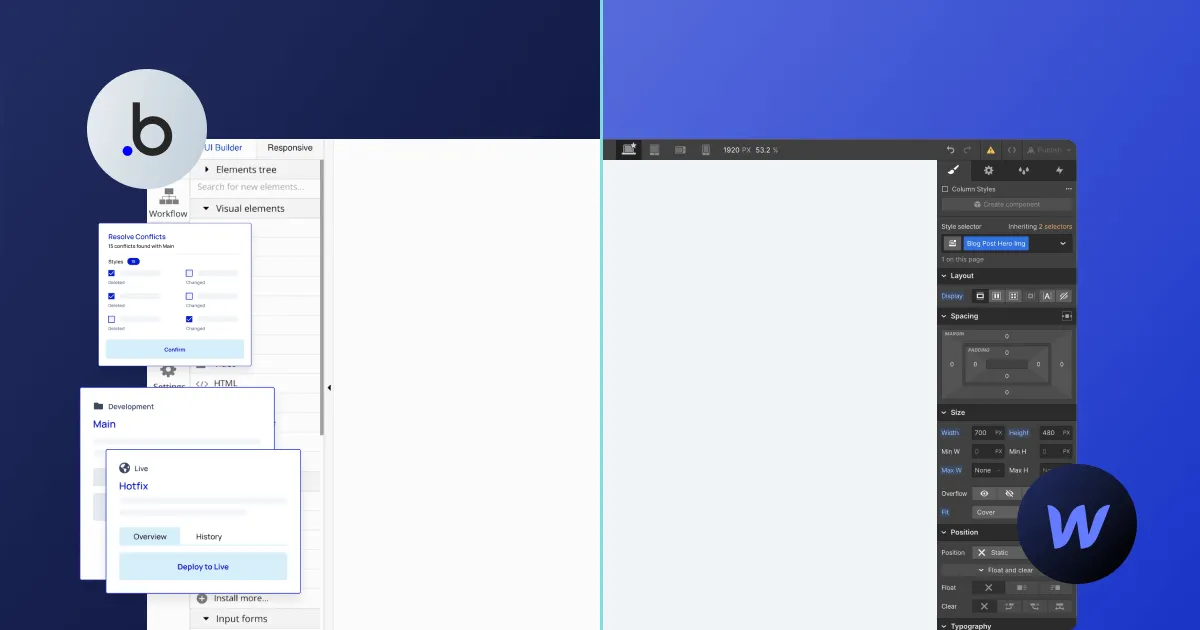
Use Bubble if you want to build a web app. Use Webflow for websites.
Ease of Use + Interface Overview
The thing with no code movement is that not knowing how to code doesn’t help. You’ll still have to understand the logic behind everything you do and think in algorithms when creating anything.
The reason I’m saying this is because neither Bubble nor Webflow are easy to use. Sure, Webflow can be a simple tool as long as you’re building one-pagers for individuals and small businesses. The moment you start working on a more serious Webflow project, you’ll have to start learning a lot.
Webflow’s main tool is called Webflow Designer, and it features all you need to design, develop, and maintain your website. Alternatively, you can use the Editor by typing ?edit next to your site URL, where you can edit on-site content and create, modify, and delete CMS items.
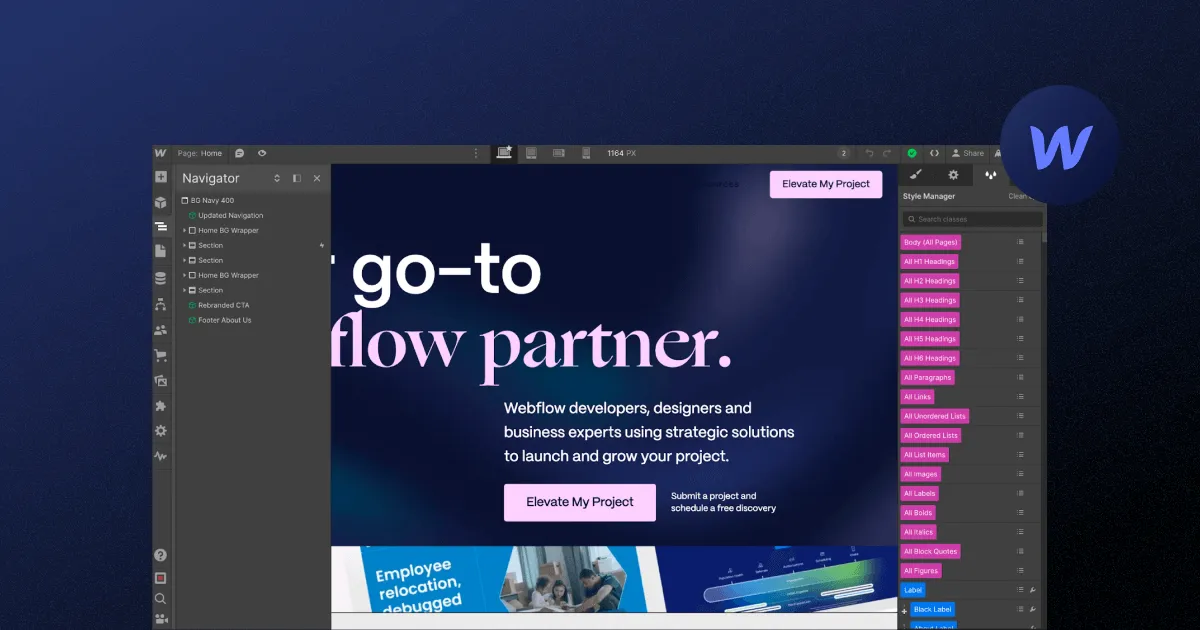
I decided to analyze the menus to the left that both Webflow Designer and Bubble offer to show you how the two solutions differ in terms of user interface and give you an idea of what you can expect when using them.
Here’s what Designer offers:
- Add element — Easily insert various web page elements like text, images, buttons, and forms.
- Components — Create and reuse elements across multiple pages for consistency.
- Navigator — Organize and select elements with a hierarchical overview.
- Pages — Manage and design individual pages, including interactions and transitions.
- CMS — Build and manage dynamic content like blog posts, products, and templates.
- Logic — Set up user interactions and workflows based on events and actions.
- Users — Handle user authentication, registration, and access control.
- Ecommerce — Manage products, shopping carts, and payment processing for online stores.
- Apps — Integrate third-party services to extend your website’s functionality.
- Assets — Upload and manage media files like images, videos, and documents.
- Settings — Configure settings, including SEO, custom code, and domains.
- Site activity — Track project changes and actions for team collaboration and monitoring.
My first impression of the Bubble interface is that I was slightly confused, as I needed some time to adjust to it. The design part came more naturally, but it’s crucial to adopt the developer mindset right away to get comfortable with this tool.
I liked how it features an assistant for newcomers, where you can kickstart the app-building process by answering a couple of questions and adjusting your app’s colors. The message here is clear: let’s get over with the design necessities and get down to actually developing the app.
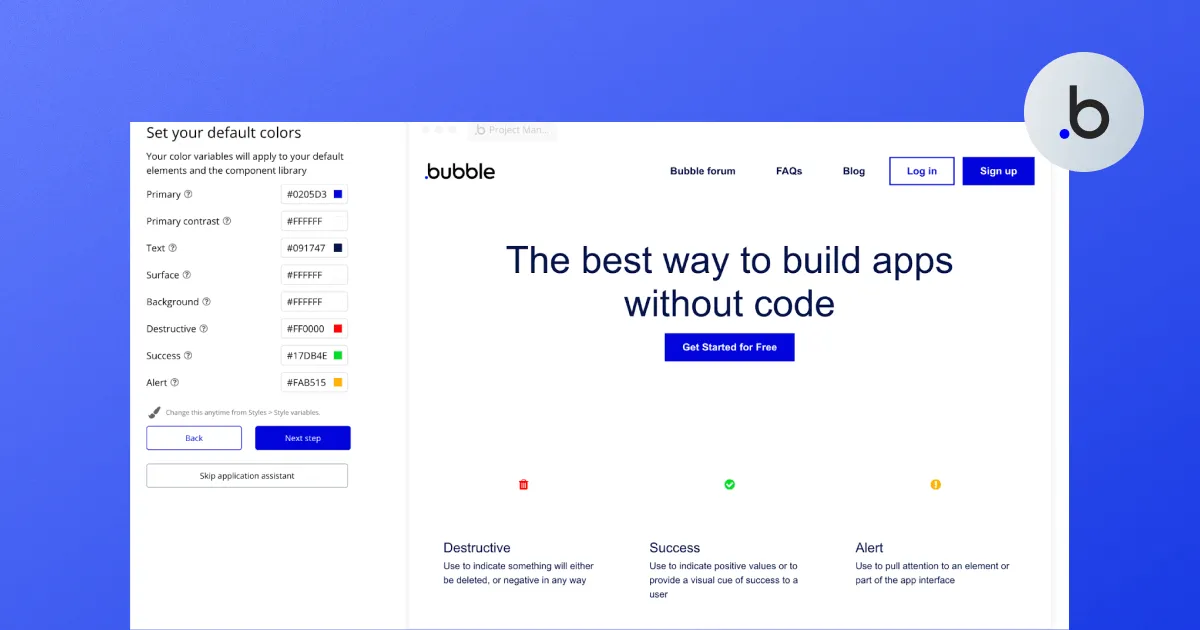
I was surprised at the number of options the tool offered for a development tool. There were also features related to responsive design, which was a pretty nice touch.
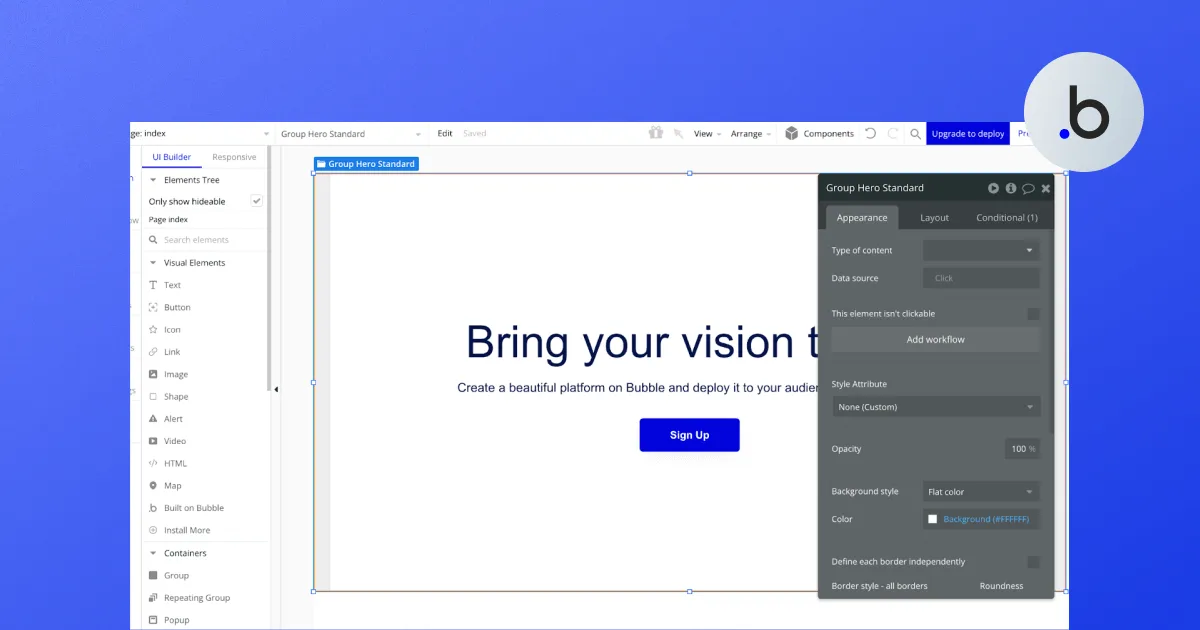
The main options in the left menu I’ve analyzed are as follows:
- Design — The Design section in Bubble allows you to design the user interface of your web application visually. You can create and arrange elements like text, buttons, forms, and more, defining how your project looks and feels.
- Workflows — In the Workflows section, you can define the logic and functionality of your web application. You create workflows that specify what happens when users interact with your app.
- Data — The Data section is where you manage your application’s database. You can create data types, define fields, and add records. This is essential for storing and organizing information your app needs.
- Styles — Styles allow you to control the visual appearance of your app. You can define custom styles for elements, such as fonts, colors, and spacing, to ensure a consistent and attractive design throughout your application.
- Plugins — Bubble offers a range of plugins that extend your app’s functionality. In the Plugins section, you can discover, install, and manage these pre-built add-ons.
- Settings — The Settings section is where you configure various aspects of your Bubble project. This includes settings like privacy rules, domain settings, API keys, and other global settings.
- Logs — Logs provide a record of your app’s activities and actions taken by users. You can monitor logs to troubleshoot issues, track user interactions, and gain insights into how your app is performing.
Bubble.io vs Webflow Pricing Plans
Webflow and Bubble both feature free plans. Even though they come with various limits and restrictions, they are still enough to get you started and assist you with using these tools. Let’s discuss them briefly.
Webflow Pricing
I’ve already discussed Webflow pricing on many occasions, so I recommend reading our dedicated blog post, where you’ll find all you need to know about the different packages offered by this tool.
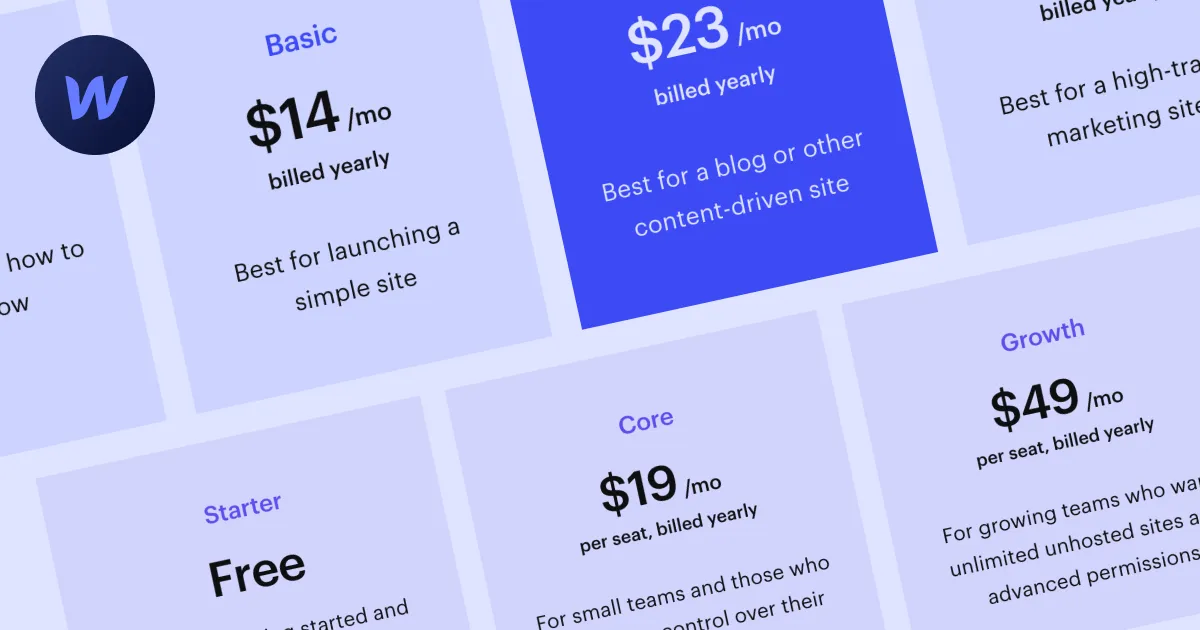
The thing is: Webflow pricing is complex. It’s divided into two big groups of plans, one for people who want to build and host a site and the other for in-house teams, freelancers, and agencies. If you’re on your own, you can get away with the lowest hosting (site) plan, which costs $14 a month.
If you want to use the workspaces along with their various collaborative features, you’ll need to consider using one of the workspace plans besides the hosting package.
Bubble.io Pricing
Initially, I thought the pricing plan for Bubble is quite straightforward, unlike Webflow’s. I was wrong.
The initial plan distribution is as such:
- Free
- Starter
- Growth
- Team
- Custom

Each of these plans is unique, and you should carefully analyze which one suits your project size the best. What I noticed is that more expensive plans give you more editors, which is great for collaborative work, so if you use the Team plan, you’ll be able to add 5 app editors as opposed to the free version, which allows only a single app editor.
Another important metric is the number of workload units per month. The free plan allows 50k monthly workload units, whereas the Team plan offers 10x more. One can also purchase additional workload units if needed.
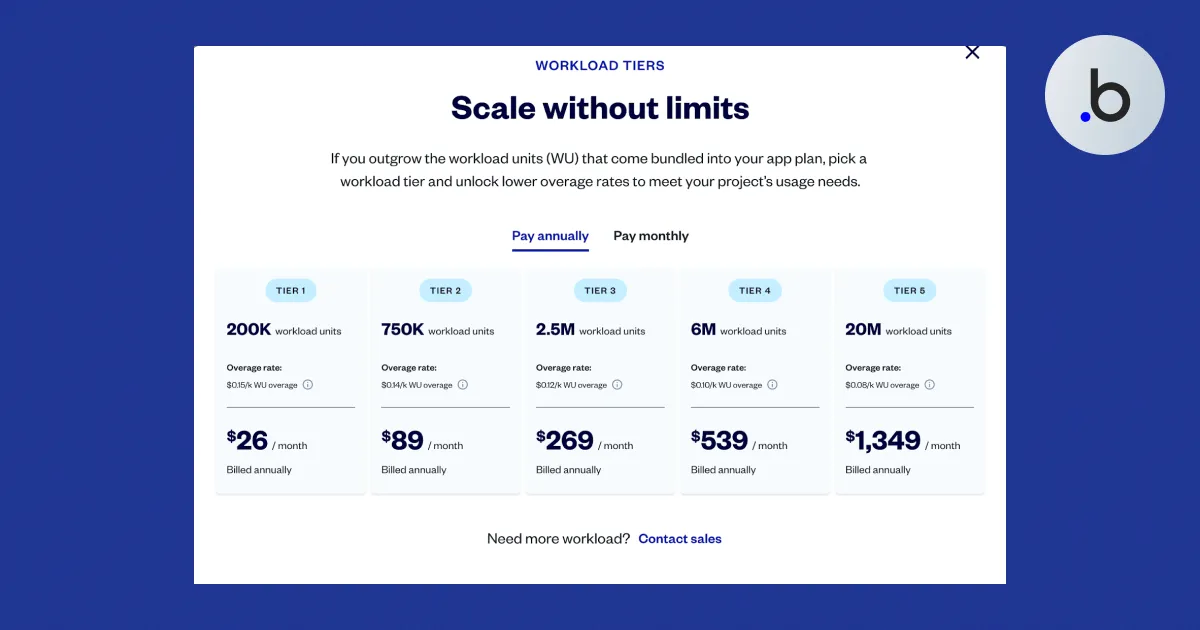
I’ve carefully analyzed the pricing plans of both services to conclude the following: they cannot be compared as their structure is almost entirely different. Bubble’s pricing plans focus on development capabilities, whereas Webflow gives you more options related to hosting, CMS, collaboration, and more.
Available Apps & Integrations
By available apps and integrations, I assume anything added to the main tools externally, and both Webflow and Bubble feature plenty of such items. Let’s start with Webflow.
Hundreds of Webflow integrations are accepted nowadays, as you can connect all popular services, including HubSpot, Shopify, Stripe, Mailchimp, and more. Most of these integrations are easy to connect, but doing more complex things with them in Webflow will require coding skills and a deep understanding of the service you’re integrating with Webflow.
But Webflow is actively working on introducing more ways to improve their services, one of them being in-house and third-party applications. For example, the new Apps section will let you browse a range of apps related to: Content management, Content design, Customer service, Customer engagement, Development, Security, Ecommerce, Booking, Marketing Automation, Analytics, Productivity, and Language.
Overall, you get a range of useful apps that can assist you in building and managing your marketing website.

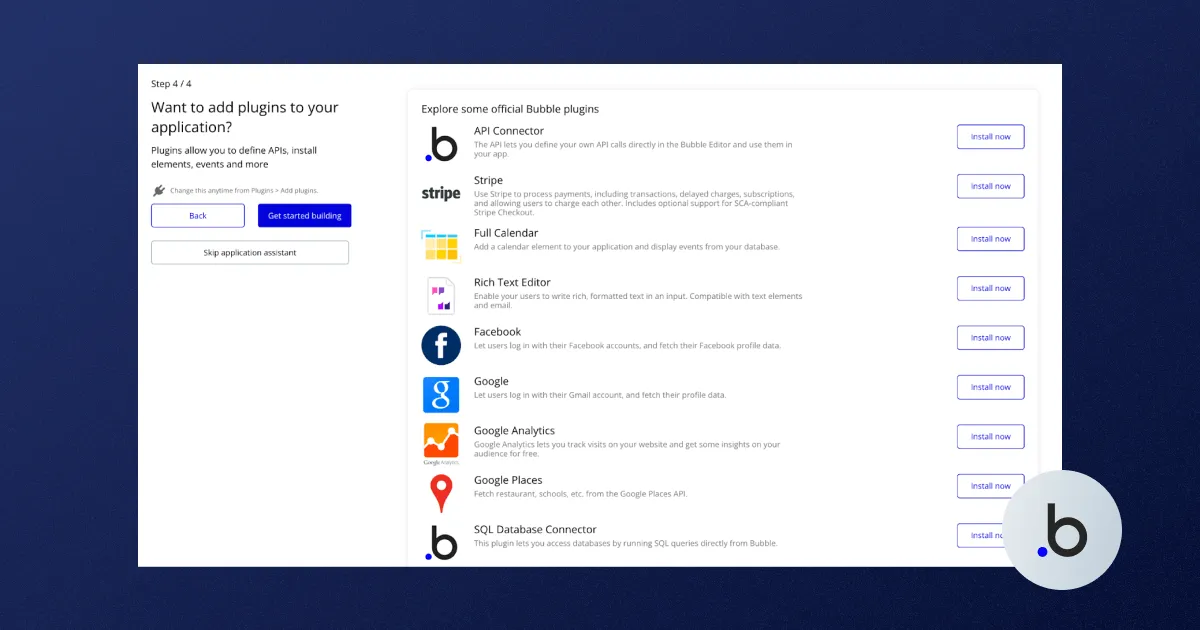
Bubble also features a range of internal and external plugins that can be helpful when visually developing web apps. There are currently 6,300+ plugins available, including some of the most popular options, such as Toolbox (Javascript utility elements), API Connector, Ionic Elements, Google Material Icons, and more.
Apps are divided into a range of categories, including Analytics, AI, Blog, Compliance, E-commerce, Email, Payment, Social Network, and Visual Elements, among others.
Sorting through these apps might be a bit confusing, as it’s challenging to determine what might work best for you. I liked how Bubble included how many projects are using each of the apps you’re browsing, which can help you make the final decision. Plenty of these apps are free, but there are also paid ones, and their prices vary a lot.
Webflow and Bubble Templates
Both Webflow and Bubble offer templates that can help you on your no-code journey. They are highly customizable and can be personalized for your needs. The only difference is that Bubble templates are for different uses, while Webflow’s are mainly templates for marketing sites.
Webflow offers 7,000+ templates, and their number keeps growing, thanks to the active community. Even we at Flow Ninja have created a few of our own.
The robust search option and numerous filters will help you pick the best option for you, which is then copied to Webflow Designer, ready to be customized. Webflow templates are all responsive and SEO-friendly by default.
Bubble’s template marketplace is smaller but covers diverse use cases, from simple landing pages to complex SaaS app templates. Since Bubble focuses on functionality, its templates tend to showcase more interactive and data-driven structures. You can browse and clone templates within the Bubble editor to start your project.
SEO Capabilities
Webflow is known for its strong SEO capabilities, offering built-in tools for custom meta tags, sitemaps, canonical tags, 301 redirects, and more. Its clean code output and responsive design give it a strong foundation for search engine rankings.
Bubble, by contrast, has more limited SEO capabilities. As a platform focused on web applications rather than marketing websites, it lacks many of the SEO-specific features that Webflow offers. While Bubble has improved its SEO features over time, it’s still not the optimal choice for sites that depend heavily on organic search traffic.
AI Capabilities
Webflow has integrated AI into its platform to help users generate content, optimize layouts, and improve SEO. The Webflow AI assistant can write copy, suggest design changes, and generate CMS items, streamlining workflows for designers and marketers.
Bubble also incorporates AI through its plugin ecosystem and native features. Bubble AI helps users build app logic, generate workflows, and automate processes. Both platforms are actively expanding their AI capabilities to make no-code development more accessible and efficient.
Available Resources
Webflow features comprehensive learning resources. There’s also the Webflow Forum, an excellent place to share your work, ask questions, and get help from fellow Webflow users. It’s suitable for beginners and advanced users alike. Finally, there’s Webflow University, which is the ultimate resource for starting on Webflow. Webflow also features comprehensive user-created learning resources available through the Community and Developers sections.
The academy features the zero-to-hero approach with various how-tos, manuals, interactive lessons, videos, and more. The Bubble Marketplace also offers a comprehensive overview of company- and user-built resources, a selection of agencies offering services via Bubble, and more. I liked the Coaching idea, where Bubble experts offer 1:1 sessions priced between $100 and $150 an hour. Bubble also features an active forum where you can get in touch with other community members and even get help from fellow Bubble users.
Customer Support
Webflow also features a forum, and it’s really difficult for me to compare them, as both communities are active, and all registered users can take part in discussions. Personally, I had plenty of positive experiences with Webflow customer support, but it’s not the general consensus. Getting in touch with Webflow support is difficult, as the user experience is such that support means browsing solutions yourself.
Bubble has a similar approach, with forum-based support and documentation. For paid plans, both platforms offer more direct support options. Overall, the quality of support is comparable between the two, with community resources being the primary avenue for most users.
FAQ for Webflow vs Bubble
Which is better, Webflow or Bubble?
The better choice depends on your goal. Webflow is stronger for marketing websites, e-commerce, and SEO-focused projects, while Bubble is better for database-driven web applications with workflows and user interactions. They serve different primary purposes, so the right pick depends on whether you need a website or an app.
Do professionals use Webflow?
Professionals widely use Webflow, especially designers, marketers, and agencies. It provides advanced design control, a built-in CMS, hosting, and SEO features. Many businesses rely on it for scalable websites, landing pages, and e-commerce stores, making it a popular tool in professional web design and digital marketing environments.
Is Bubble good for websites?
Bubble can be used to create websites, but it is not its strongest use case. The platform prioritizes building applications with workflows and databases rather than design flexibility. For content-driven or SEO-focused sites, Webflow or other website builders are usually a better fit.
Is Bubble.io SEO friendly?
Bubble offers basic SEO settings, such as meta tags, slugs, and alt text, but it requires more manual setup and sometimes third-party tools to achieve the same results as dedicated website builders. It can be SEO-friendly, but it’s less optimized for search than Webflow.
Is Bubble good for beginners?
Bubble has a learning curve, particularly for users unfamiliar with workflows and logic. While its visual interface makes coding unnecessary, beginners may find it challenging compared to drag-and-drop website builders like Wix or Webflow. With time and tutorials, however, it becomes powerful for non-technical users.
How does Bubble compare to Webflow for building web applications?
Bubble is far more suited to building web applications than Webflow. It includes database management, workflows, user authentication, and API integrations, enabling complex app development. Webflow focuses on design and CMS capabilities, so while apps are possible, they require more external integrations and lack Bubble’s native functionality.
Can Webflow be used to build web apps?
Webflow can build basic web apps by combining CMS, integrations, and custom code, but it is not a full application development platform. For advanced logic, user authentication, or complex databases, Bubble or other no-code app builders provide better functionality and scalability.
Which is more cost-effective, Webflow or Bubble?
Webflow is often more cost-effective for smaller websites because hosting, CMS, and design tools are bundled. Bubble’s costs increase with app complexity, as pricing is tied to workload units and editor access. For apps, Bubble is worth the expense, but for websites, Webflow generally offers better value.

Uros Mikic
Founder and CEO of Flow Ninja. Building in Webflow since 2015, he writes on platform choice, CMS migration, and website intelligence, and runs a YouTube channel on the same.



See your website the way a senior strategist does
Foresight scans your site across 10 strategy dimensions. You get a scored breakdown of every gap costing you leads.
Continue reading







Ready to escape your CMS nightmare
100+ successful migrations. 0 ranking disasters at launch. One embedded team that's done this before.

