How to Use Webflow for Free
Webflow is free to use with no time limit: the Starter plan lets you build a site and publish it to a webflow.io address. A free site gets 2 static pages, 50 CMS items, 1 GB of bandwidth a month and 50 form submissions. To use a custom domain, you need a paid Site plan, starting with Basic at $15 a month billed yearly.
Yes, you can use Webflow for free, and for as long as you like. The free Starter plan lets you design a site in the Designer and publish it to a webflow.io address at no cost.
Starter’s limits make it best for learning Webflow, testing a design or sharing a draft. Anything you want on your own domain needs a paid Site plan.
What Webflow’s Free Plan Includes
Webflow prices in two layers: a Site plan for each site, and a Workspace plan for you and your team. Both have a free Starter tier, and new accounts start on them.
The limits below are Webflow’s current ones, after its May 2026 pricing change. Our Webflow pricing guide covers the paid tiers in more depth.
The Free Starter Site Plan
A free Starter site gets:
- A webflow.io address: your site goes live at an address like mysite.webflow.io.
- 2 static pages: pages that aren’t generated from CMS Collections, such as a homepage or a contact page.
- 50 CMS items: spread across up to 20 CMS Collections.
- 1 GB of bandwidth a month.
- 50 form submissions per site.
- Webflow AI, the MCP server and Webflow Cloud app hosting, which Webflow includes on the free plan too.
Free sites also show the "Made in Webflow" badge in the bottom right corner. Removing it takes a paid Site plan.
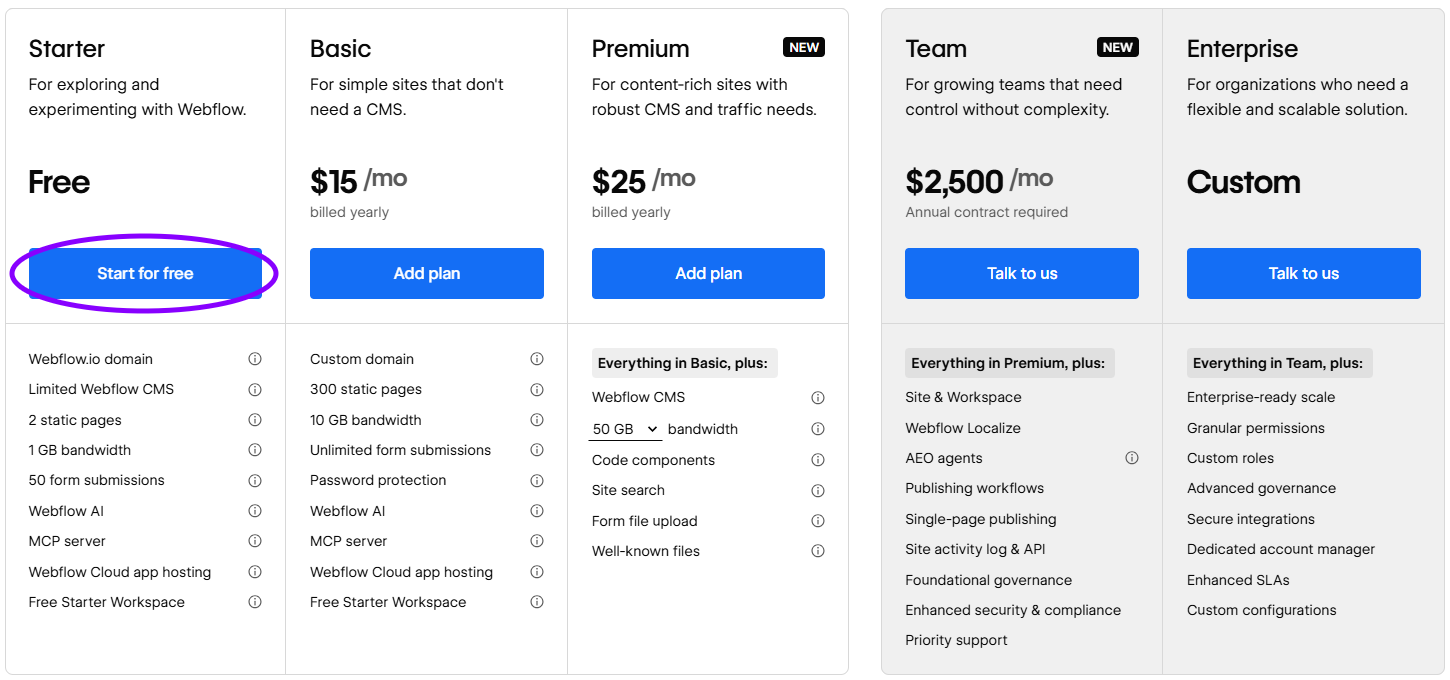
Webflow’s Site plans page before the May 2026 change, when CMS and Business were still separate plans. Today’s prices are in the table below.
The Free Starter Workspace
The free Workspace sets how many free sites you can build and who can work on them. It includes:
- 1 full seat for the Workspace owner.
- 2 staging sites, meaning free sites you build without a paid Site plan, each with up to 2 pages and 50 CMS items.
- Unlimited paid hosted sites, so a site on a paid Site plan doesn’t count toward the two-site limit.
- 200 AI credits.
- Agency and freelancer guests, who join without using a seat.
Free Plan vs Basic vs Premium
Prices and limits from Webflow’s pricing page.
What You Can’t Do on Webflow’s Free Plan
On the free plan, you can’t:
- Add more than 2 static pages. A homepage and a contact page use up the allowance, so a typical five-page marketing site won’t fit.
- Connect a custom domain. Starter sites publish to webflow.io only.
- Remove the "Made in Webflow" badge.
- Add custom code or export your code. Custom code needs a paid Site plan, such as Basic or Premium, or a paid Workspace plan. Code export needs a paid Workspace plan, such as Core at $19 a month or Freelancer at $16 a month, billed yearly.
- Password-protect the site. Password protection starts with the Basic Site plan.
- Use some Webflow AI features. On a Starter Workspace, generating copy and running SEO and AEO audits need a paid Site plan.
None of this stops you from learning. You can still build pages, style them, set up CMS Collections and publish the result for others to see.
How to Use Webflow for Free in 5 Steps
Five steps take you from a new account to a published free site.
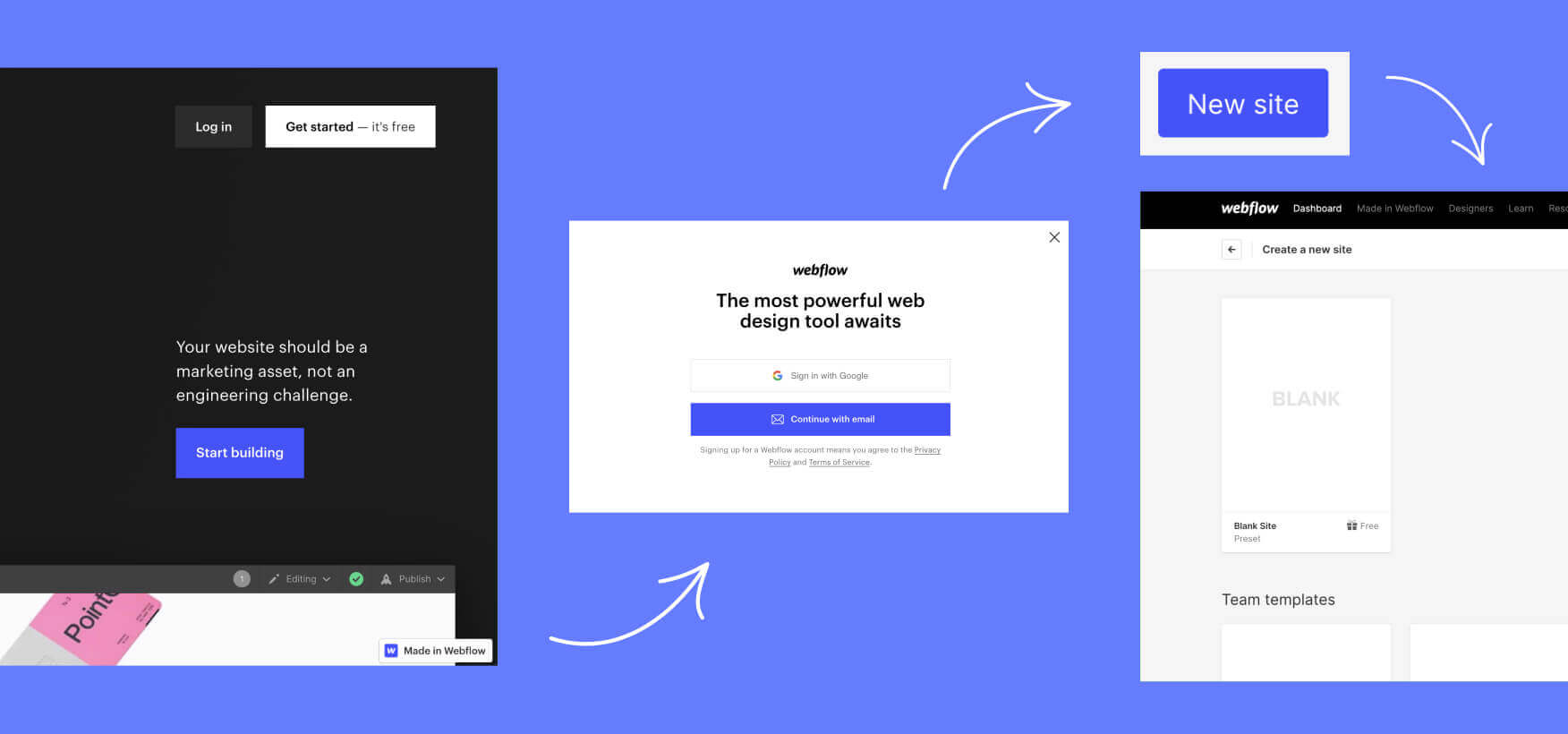
- Create an account. Click Get started on webflow.com and sign up.
- Open your Dashboard. New accounts land on the Dashboard of their first Starter Workspace.
- Create a site. Click New site in the upper right of the Dashboard, then pick a blank site or a template, as Webflow’s Dashboard guide describes. Starting from one of the best Webflow templates saves time if you’re new.
- Build within the limits. Keep the site to 2 static pages, and put repeating content such as blog posts or team members into CMS Collections, up to 50 items in total.
- Publish to webflow.io. Click Publish, check your webflow.io subdomain and publish to the selected domains. Shift + P opens the same publish menu, according to Webflow’s publishing guide.
Learn Webflow and Extend Your Free Site
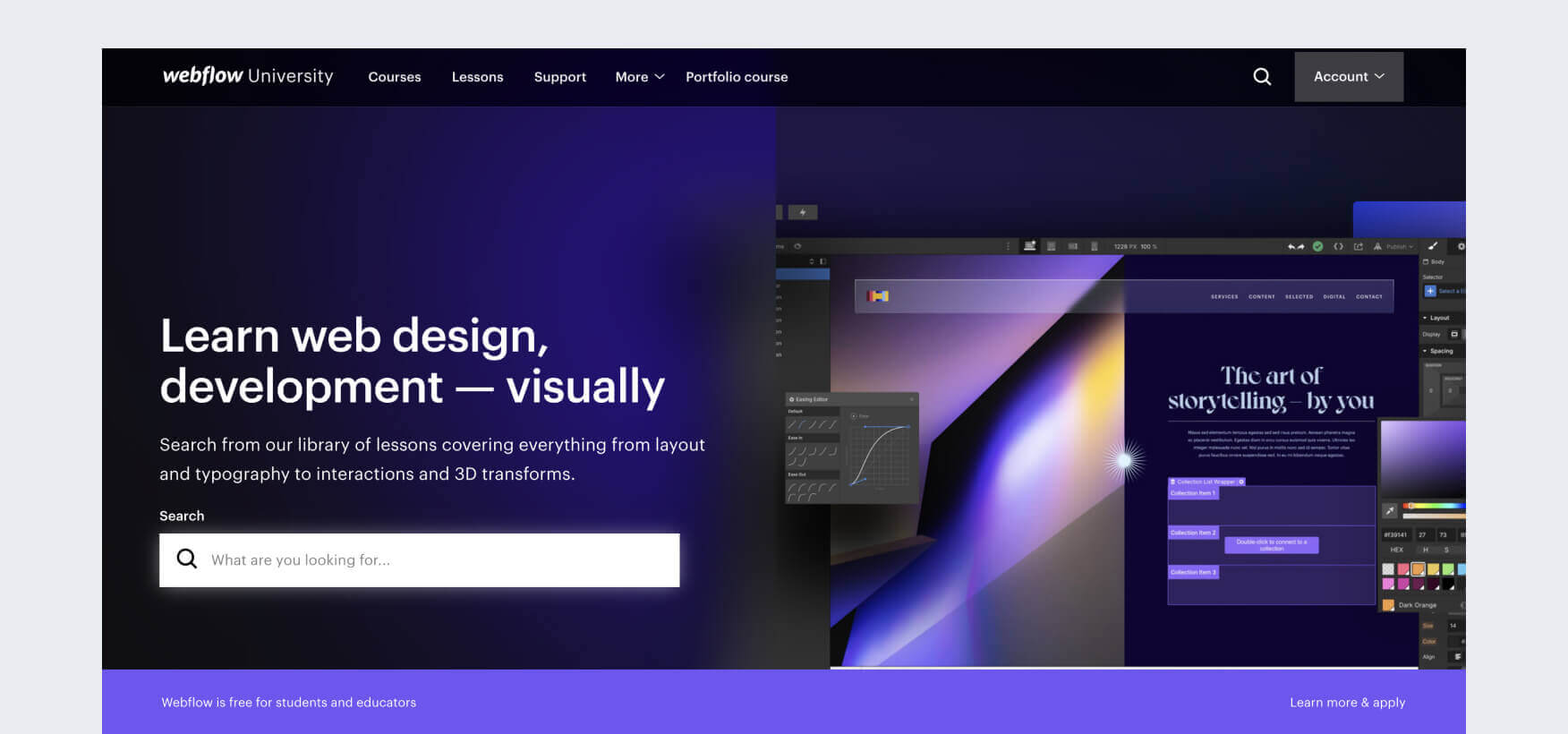
Webflow University is Webflow’s learning site, with courses, lessons and certifications. It’s a good place to learn the Designer while you’re still on the free plan.
When you need more than the core features, apps can fill the gap. We compare free and paid options in our guide to the best Webflow plugins, and our walkthrough on how to build a website with Webflow covers the build itself.
When to Upgrade From the Free Plan
Stay on Starter until you need your own domain. Then choose the Site plan by whether the site has a blog or other repeating content.
- Basic costs $15 a month billed yearly, or $25 billed monthly, per Webflow’s May 2026 pricing update. It adds a custom domain, 300 static pages, 10 GB of bandwidth a month, unlimited form submissions and password protection, but no CMS.
- Premium costs $25 a month billed yearly, or $39 billed monthly. It adds the CMS with 20,000 items and 40 Collections, 50 GB of bandwidth, site search and form file uploads.
- Core ($19 a month) and Freelancer ($16 a month), both billed yearly, are the entry paid Workspace plans. Each adds 10 staging sites, custom code and code export, which matters more to designers and developers than to site owners.
For most company sites with a blog, Premium is the realistic starting point. Basic suits a portfolio or a small brochure site that will never need CMS content.

We’re a WebOps team that builds and runs sites on Webflow and Sanity. If you’ve outgrown the free plan and want help planning the move, get in touch.
Frequently Asked Questions

Can I use a custom domain on Webflow's free plan?
No, a free Starter site can only publish to a webflow.io address, such as mysite.webflow.io. Connecting your own domain takes a paid Site plan. The cheapest is Basic, at $15 a month billed yearly or $25 billed monthly, which also raises the limit to 300 static pages and 10 GB of bandwidth a month.
Can I export code on Webflow's free plan?
No, code export needs a paid Workspace plan, and the free Starter Workspace doesn’t include it. Every paid Workspace plan can export clean HTML and CSS files, starting with Core at $19 a month or Freelancer at $16 a month, both billed yearly. Dynamic content, meaning CMS items and CMS pages, can’t be exported.
Is Webflow free?
Yes, Webflow has a free Starter plan with no time limit. You can design a site and publish it to a webflow.io address. A free site is capped at 2 static pages, 50 CMS items and 1 GB of bandwidth a month, and a custom domain needs a paid Site plan from $15 a month billed yearly.
How many pages can I publish on the Webflow free plan?
You can publish 2 static pages per site on the free plan, plus pages generated from CMS Collections. Static pages are pages like a homepage or a contact page. CMS pages, such as blog posts, count toward the 50 CMS items instead, and the free Workspace allows 2 free sites.
What limitations should developers be aware of when using Webflow's free plan for client projects?
The free plan can’t host a client site on its own domain, so treat it as a place to build and share drafts. A Starter site also shows the "Made in Webflow" badge and has 1 GB of bandwidth a month and 50 form submissions. Custom code needs a paid Site plan or a paid Workspace plan, and code export needs a paid Workspace plan, such as Core at $19 a month or Freelancer at $16 a month, billed yearly.
Can teams collaborate on Webflow projects in the free workspace plan?
Only on a small scale, because the free Starter Workspace includes 1 full seat. You can add agency and freelancer guests without using a seat. Paid Workspace plans add more: Core adds 10 staging sites and code export, and Growth, at $49 a month billed yearly, adds site-level roles and publishing permissions.
What are the limitations of Webflow's free hosting plan for blogging?
A free Starter site can hold only 50 CMS items, which caps a blog at fewer than 50 posts once you add authors or categories. It also has 1 GB of bandwidth a month, a webflow.io address and the Webflow badge. The Basic plan has no CMS, so a real blog needs Premium, with 20,000 CMS items.

Founder and CEO of Flow Ninja. Building in Webflow since 2015, he writes on platform choice, CMS migration, and website intelligence, and runs a YouTube channel on the same.


See your website the way a senior strategist does
Foresight scans your site across 10 strategy dimensions. You get a scored breakdown of every gap costing you leads.
Continue reading









Ready to escape your CMS nightmare?
100+ successful migrations. 0 ranking disasters at launch. One embedded team that's done this before.